Whova
Designing a lightweight yet scalable and high-powered solution to check in attendees at events of any size.
TOOLS
Figma, Jira
TEAM
The feedback of 3 designers + 1 PM and 8 engineers
IMPACT
15 enterprise customers and 1000+ attendees checked in within 1 month of release.
Whova is a comprehensive event management platform designed to help organizers plan, promote, and hold various events, from conferences to expos. My work at Whova has been varied, but with a focus on the Trial Onboarding and Check-in features. Below is a deep dive into the Kiosk Check-in project, where I designed a self-serve kiosk mobile app and web dashboard to support fast, reliable check-in at events.
Check-in at scale, without the overhead.
Large events faced a constant struggle to deliver a fast, professional check-in experience without overwhelming staff or running into printing issues. Long lines and fragile setups could quickly turn check-in into a bottleneck, giving a poor first impression for attendees and adding unnecessary pressure onto staff. This project focused on helping large events handle high-volume arrivals smoothly while minimizing staff workload and printing-related failures.
To differentiate ourselves, the goal was to do this with a much leaner and more cost-effective setup than all our competitors. We designed a scalable, self-serve kiosk system that could run multiple kiosks in parallel without the pricey hardware rentals and high on-site support costs typical of the market.
Problem
Whova is not built to handle the large volume and demanding pace of check-in for large events (500+ attendees).
Solution Preview
Designing for polish, clarity and most of all, speed.
A self check-in kiosk designed to move large crowds through check-in quickly and confidently—without heavy setup or staff load.
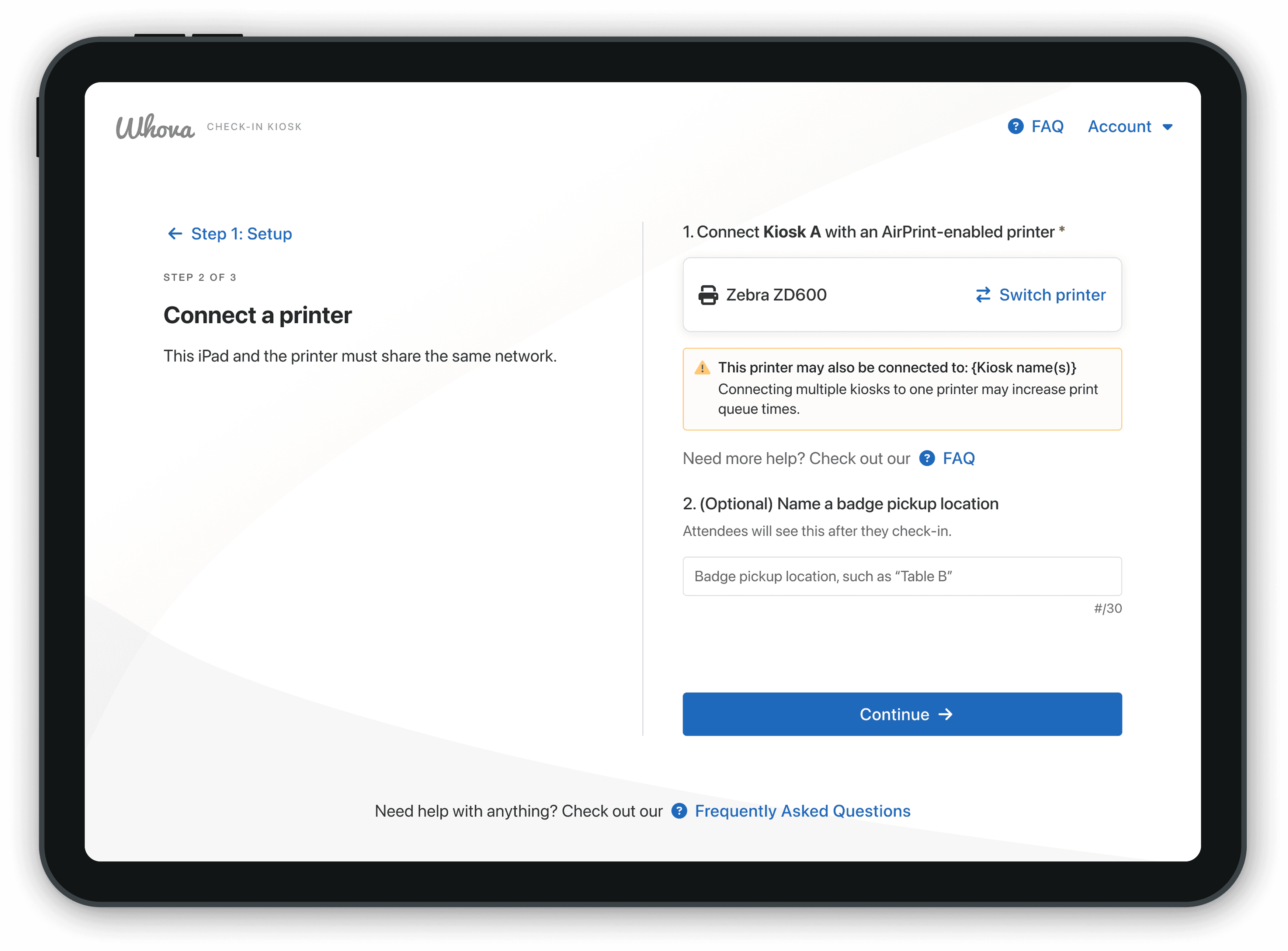
Guided setup
Smart setup checks to catch issues before doors open.
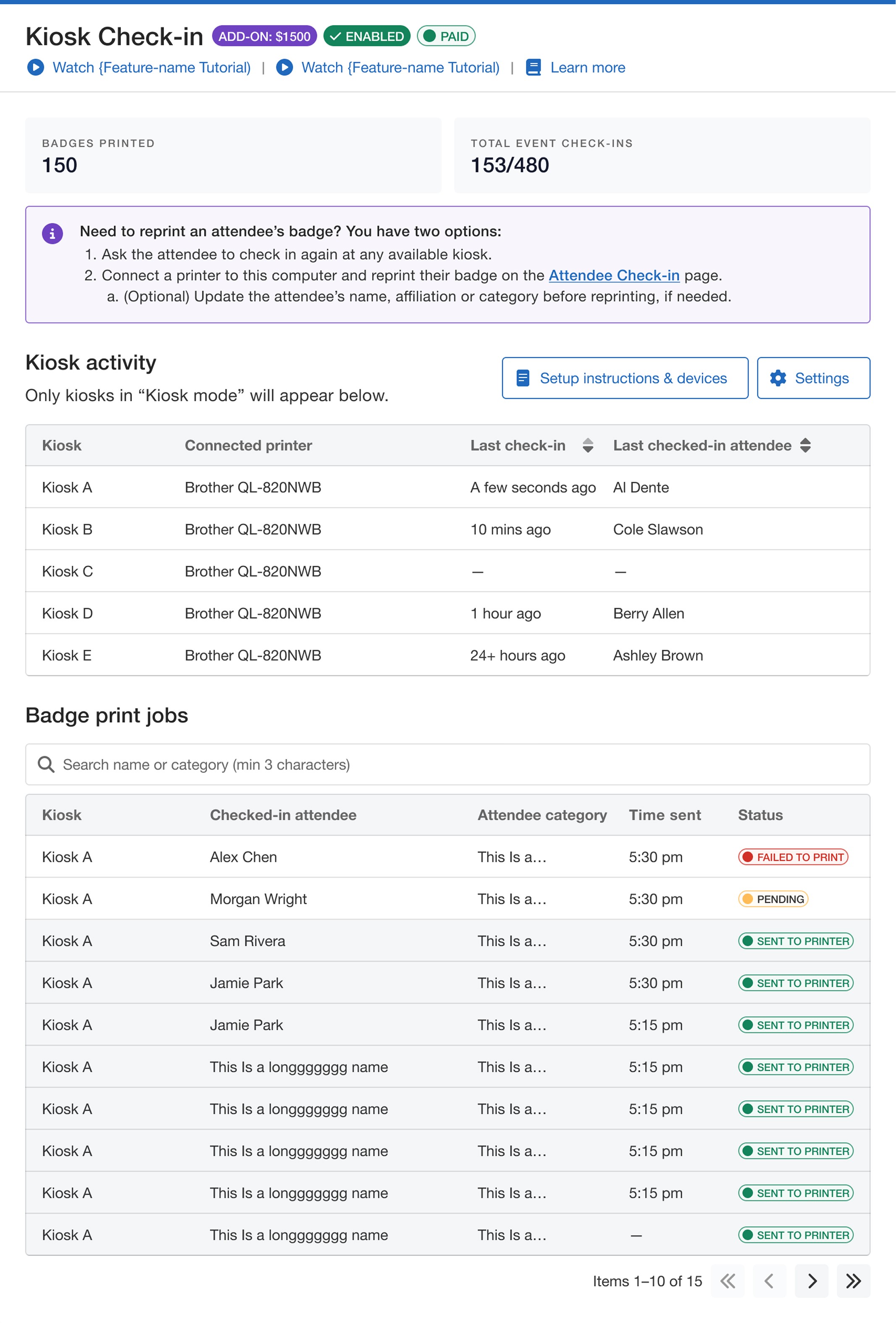
Monitoring dashboard
Monitor kiosk status and print jobs at a glance without needing staff at every station.
Setting the backdrop
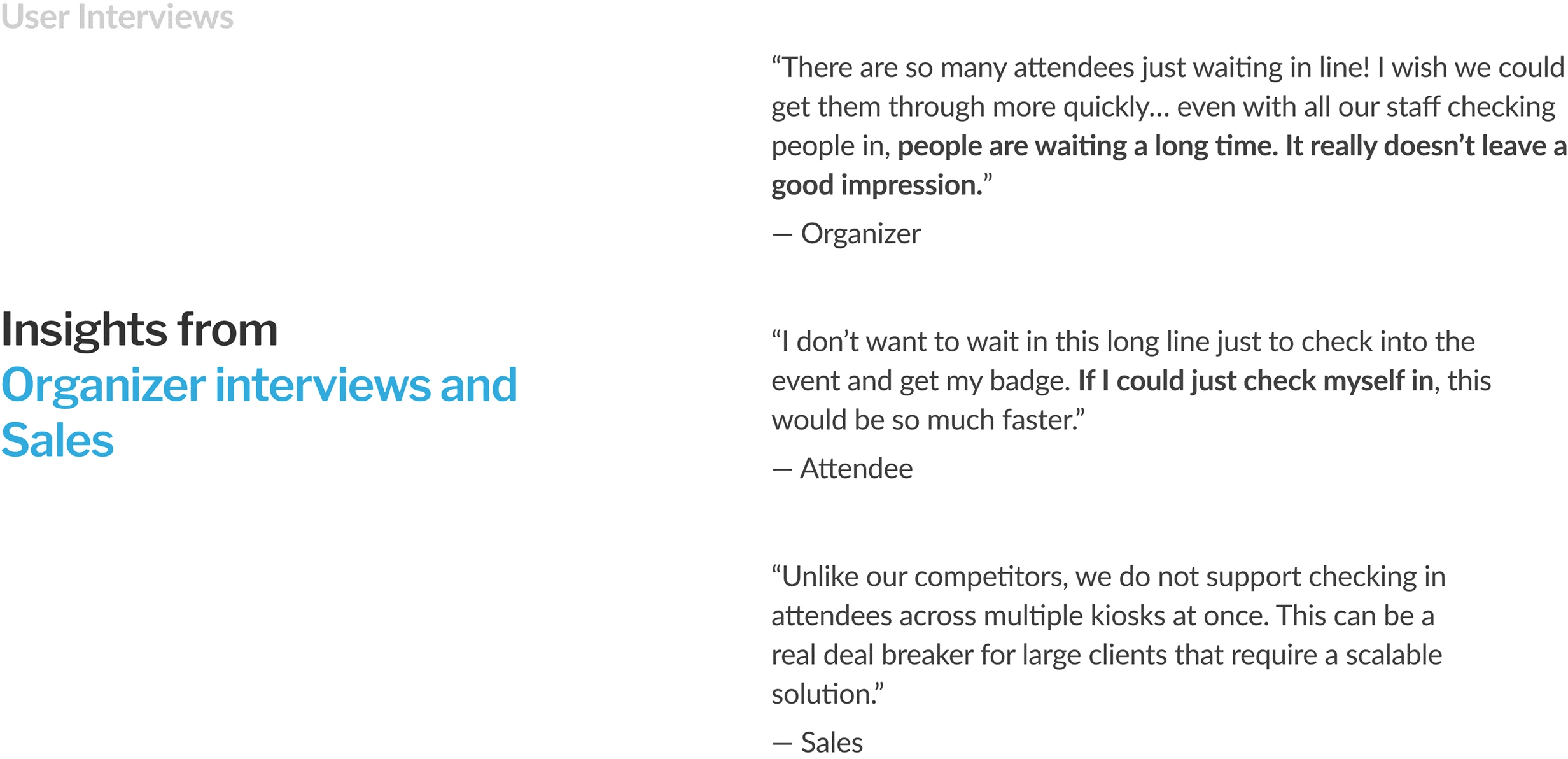
It's Day 1 of a 1,000-person event. You're hyped to hear the opening keynote… until you see the 1+ hour line for check-in
Long wait times & flustered staff
Staff have to manually process every check-in on top of assembling badges.
Disorganized, slow first impression
High attendee volumes mean long lines and staff spread thin.
A printer jams, holding up an entire line
Printer jams and other issues such as spotty wi-fi are common.
Customers were frustrated… Whova's existing solutions were either inflexible or technically limited
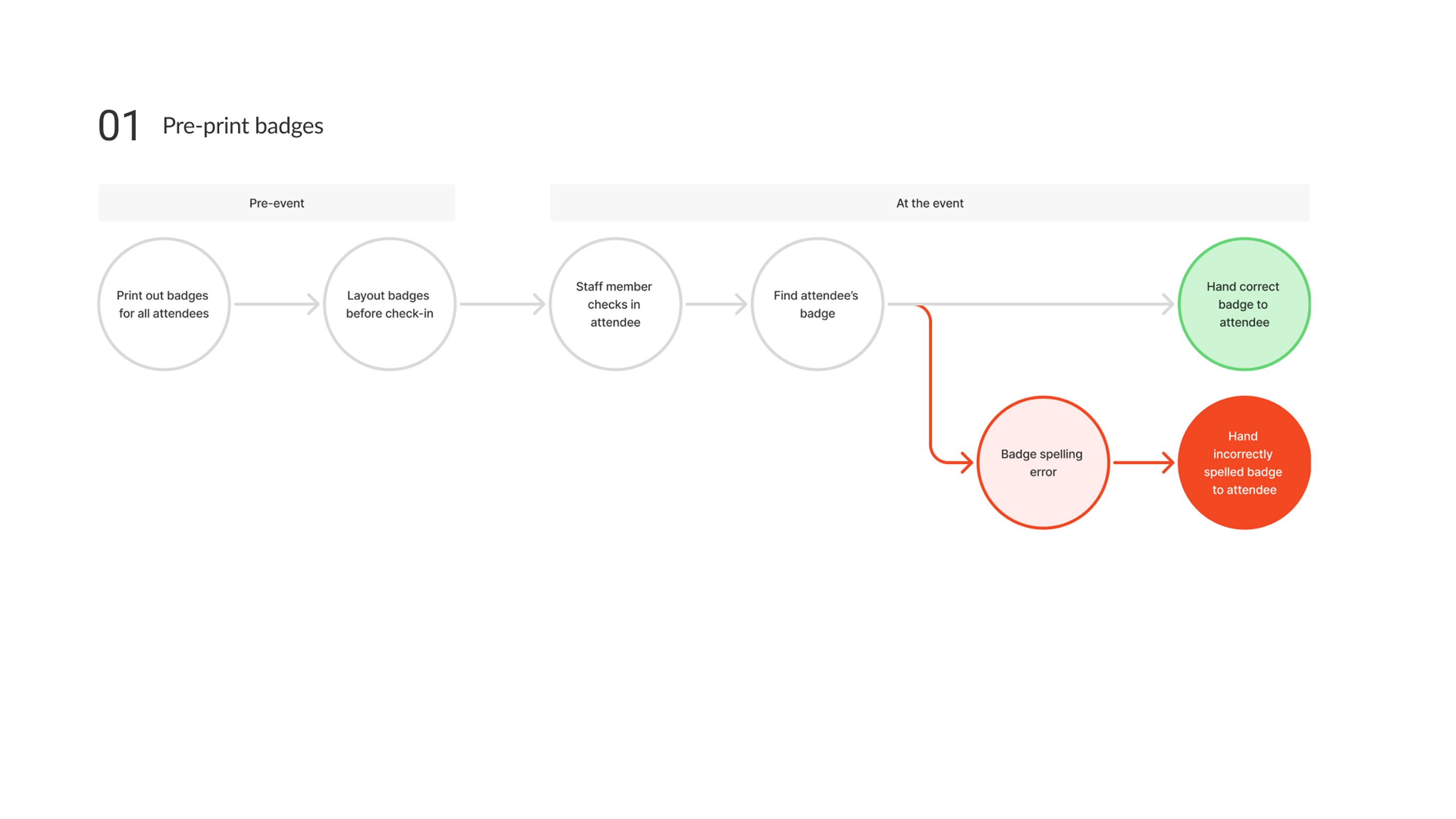
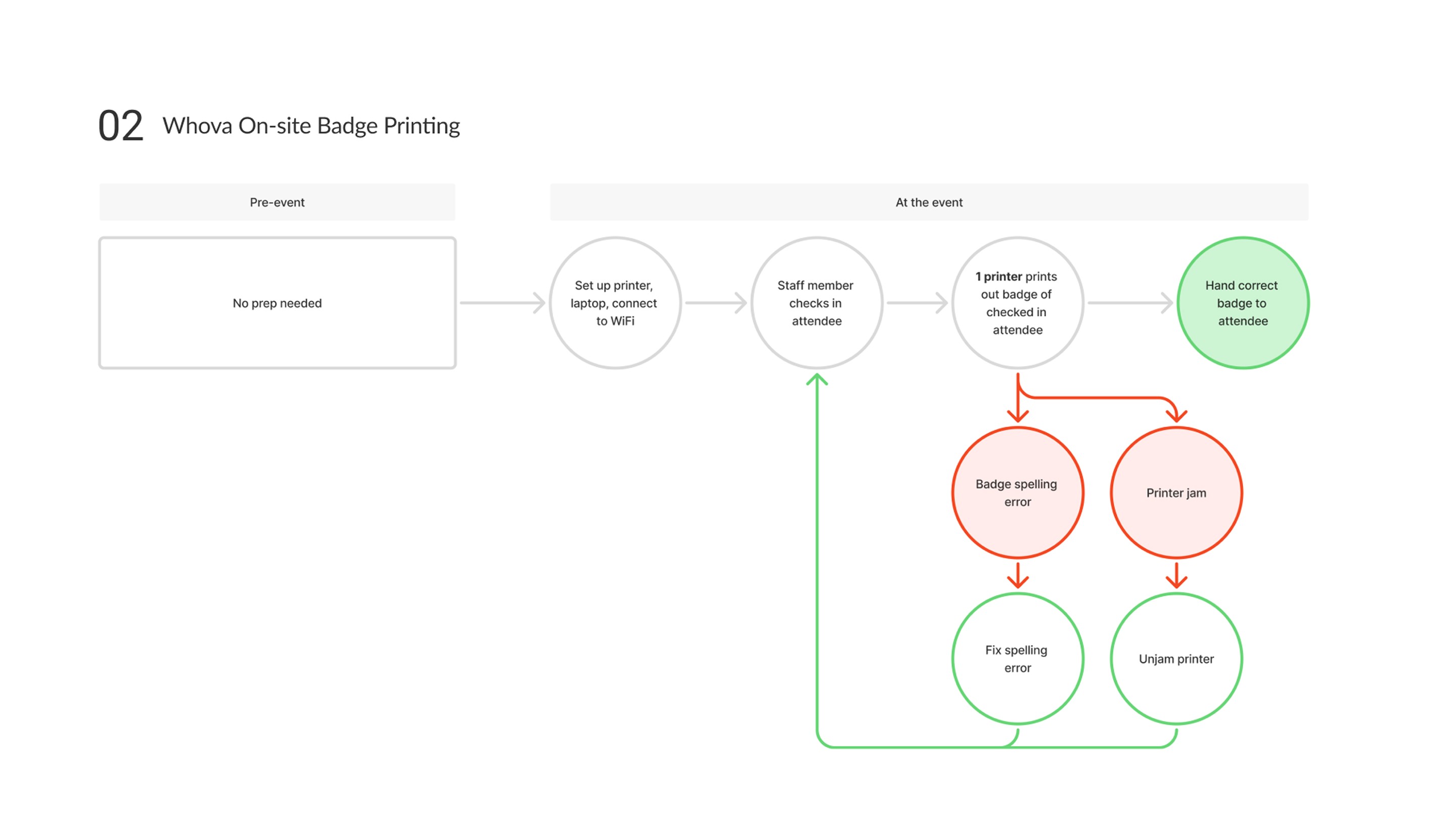
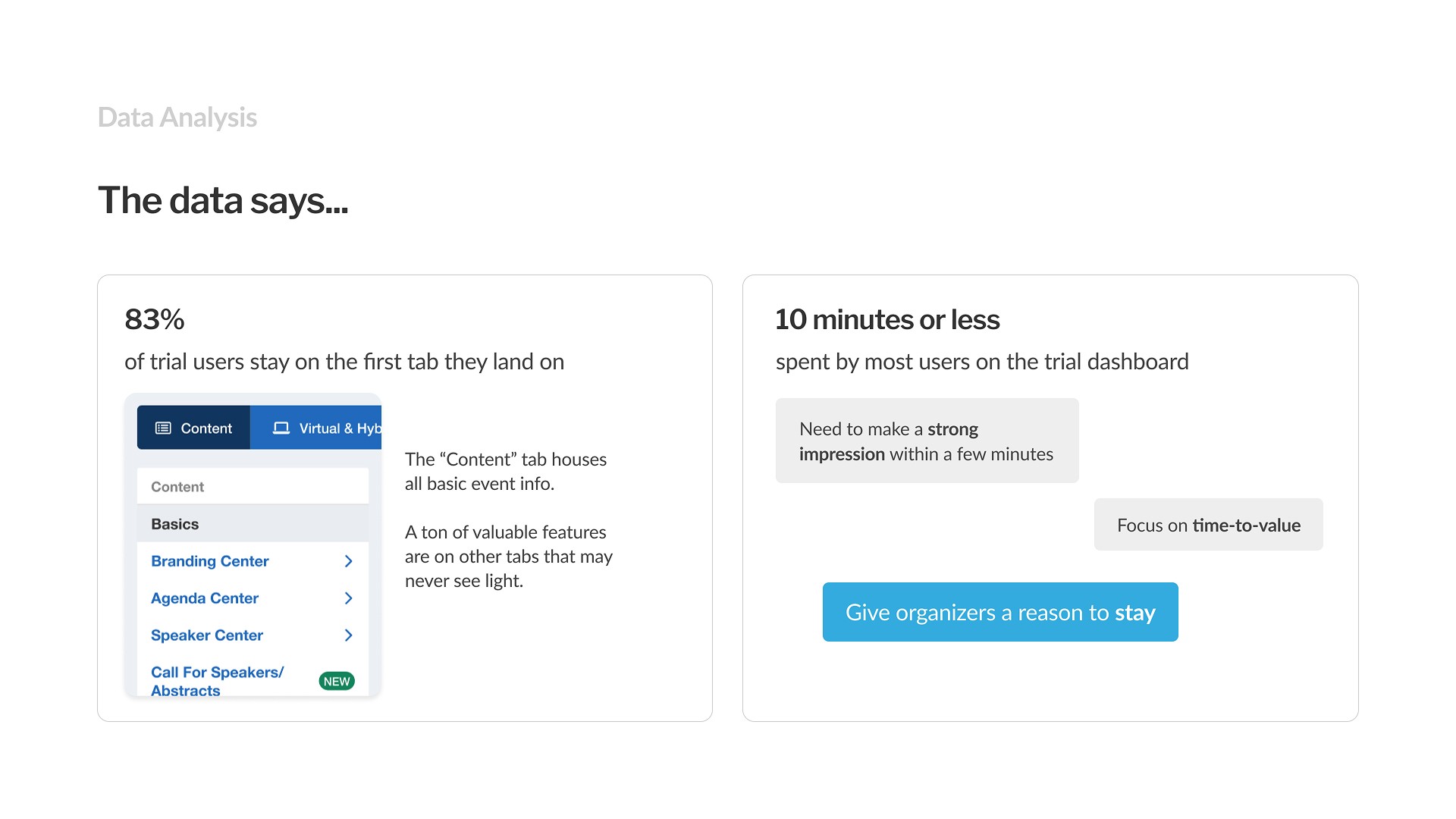
Data Analysis
To understand where we could stand out, I audited similar options on the market
Competitors only support options that are comprehensive but costly $$$
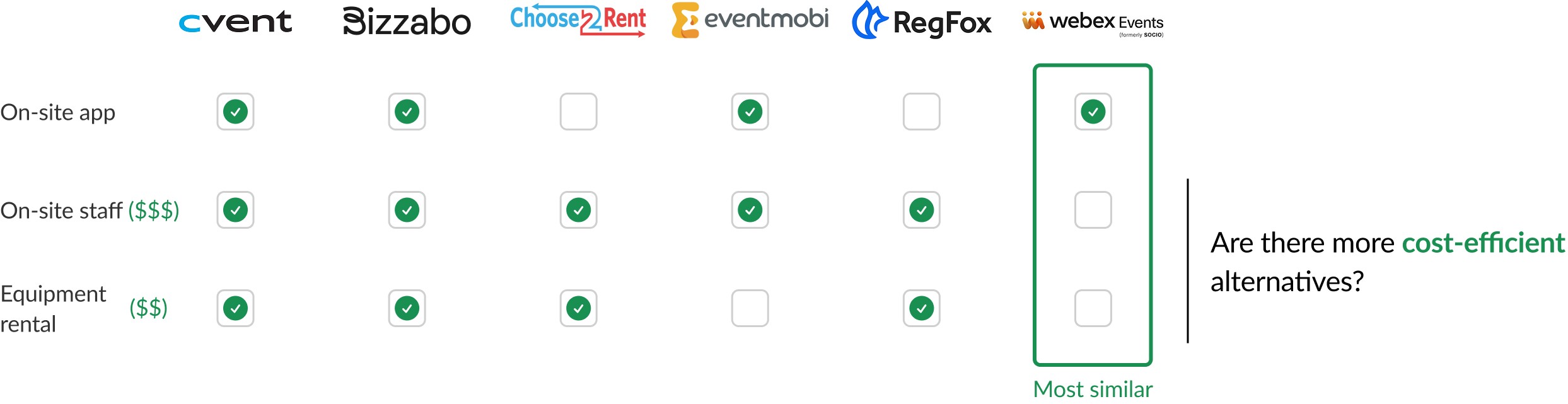
There was a lot of potential for us to carve our own niche
01
Using our badge printing also locks customers into our Name Badge designer and other features.
02
Sales receives many complaints about limited badge printing capabilities
03
Out of customers who use Whova for Check-in, ~45% of them do not use Whova for name badges.

Synthesis
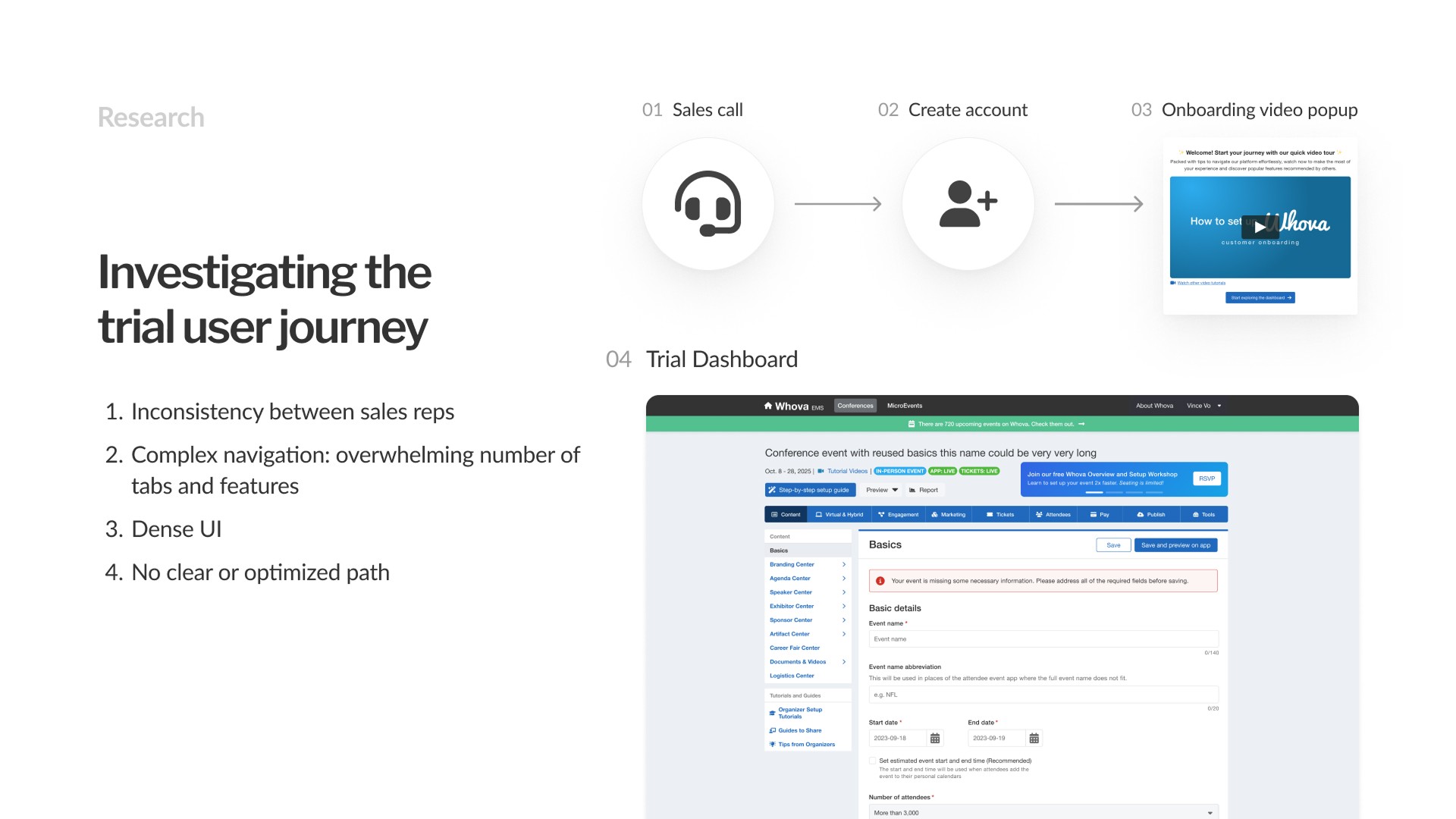
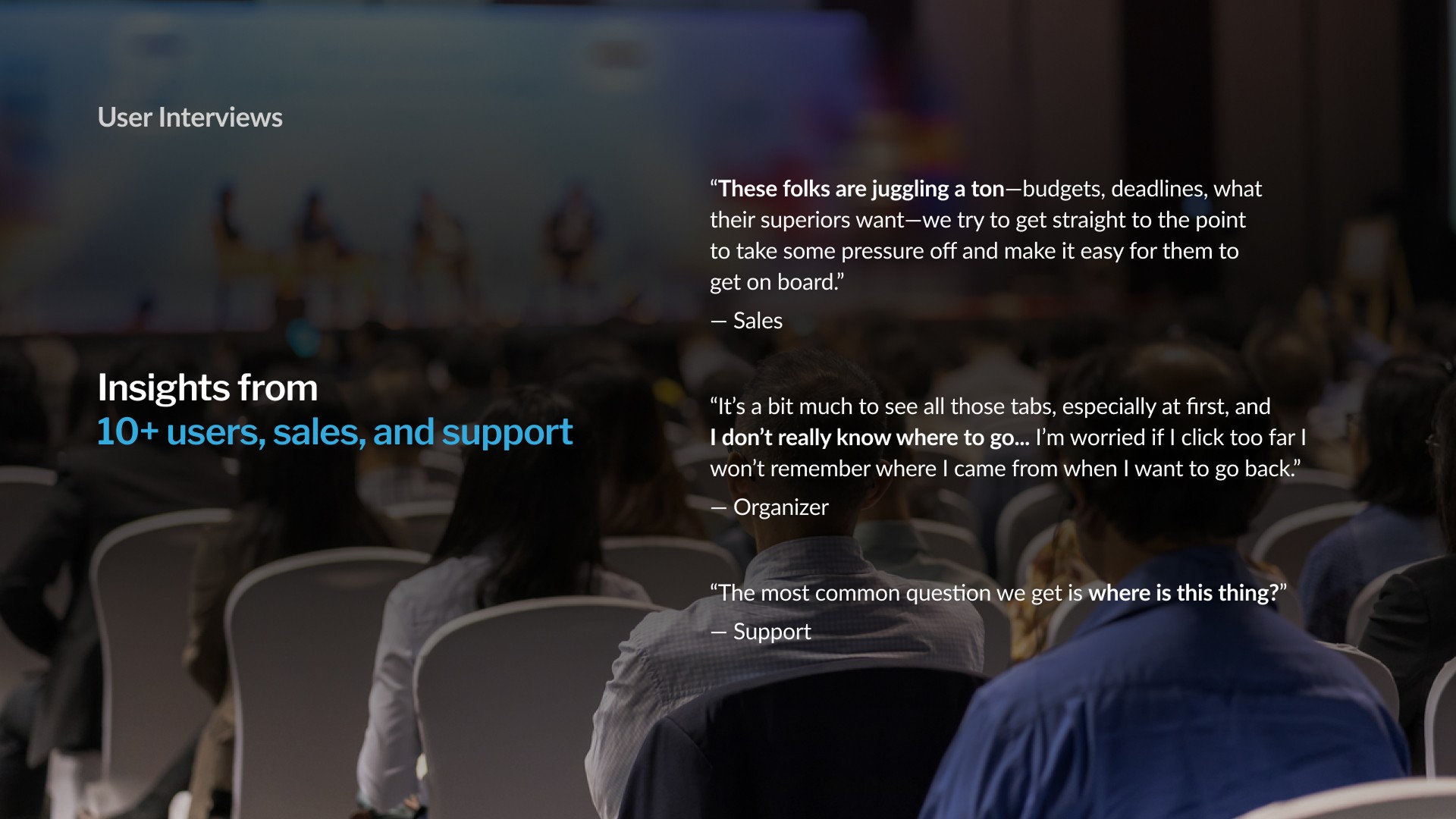
I distilled our findings into 3 key pain points
01
Disjointed setup
Organizers need to source iPads & printers, install an app and configure external settings for both.
02
On-site errors
Printer jams, shaky wi-fi, badge typos and more can bring everything to a halt.
03
Long wait times (first impressions)
Organizers want to set a good first impression, which means minimizing wait times.
Goal
Empower organizers with a lean check-in + badge printing setup built to impress crowds of any size.
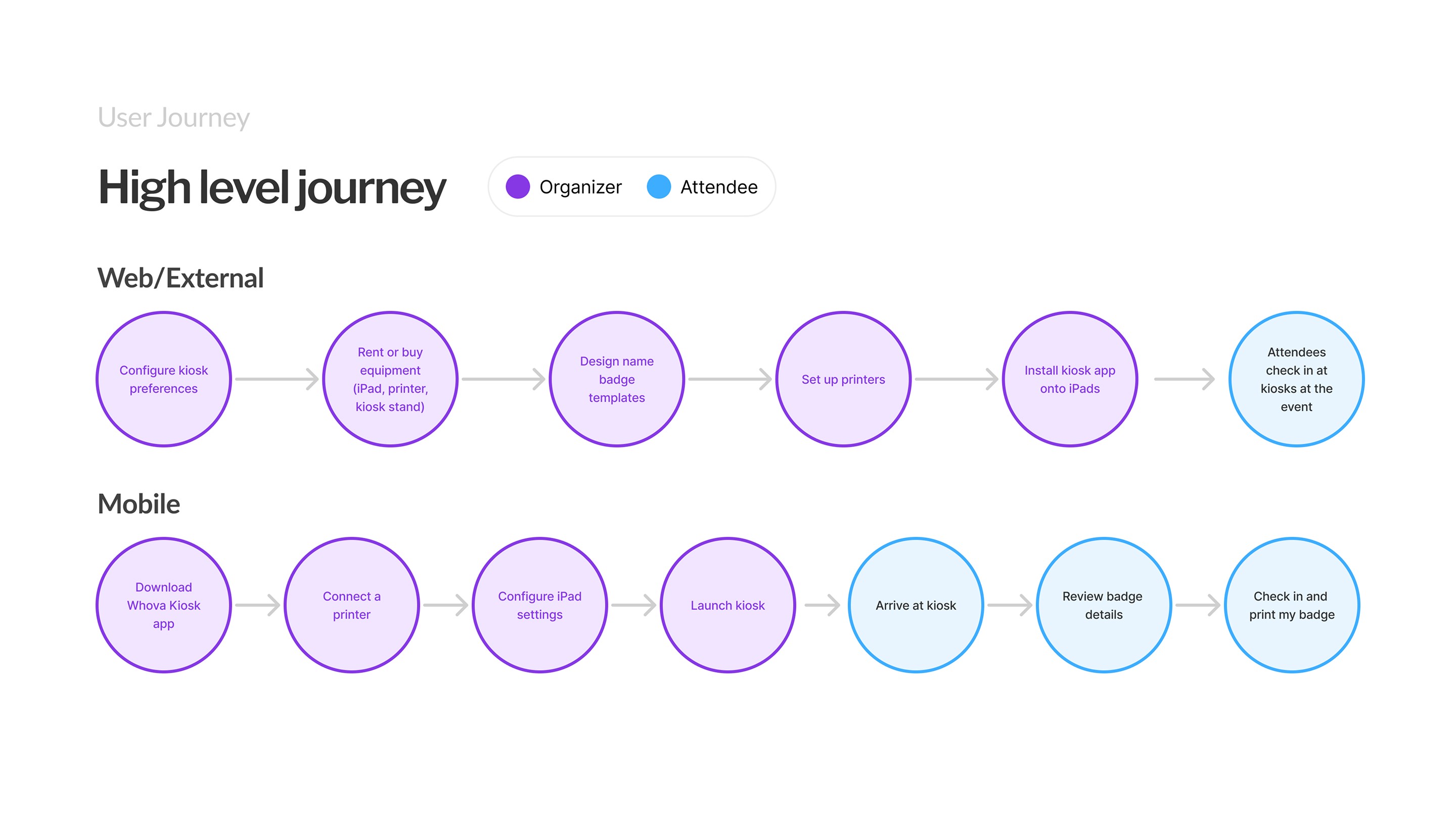

Empower organizers with a lean check-in + badge printing setup built to impress crowds of any size.
Subgoal 1
Guide organizers by simplifying disjointed external setup tasks
Solution 1.1 | Disjointed setup
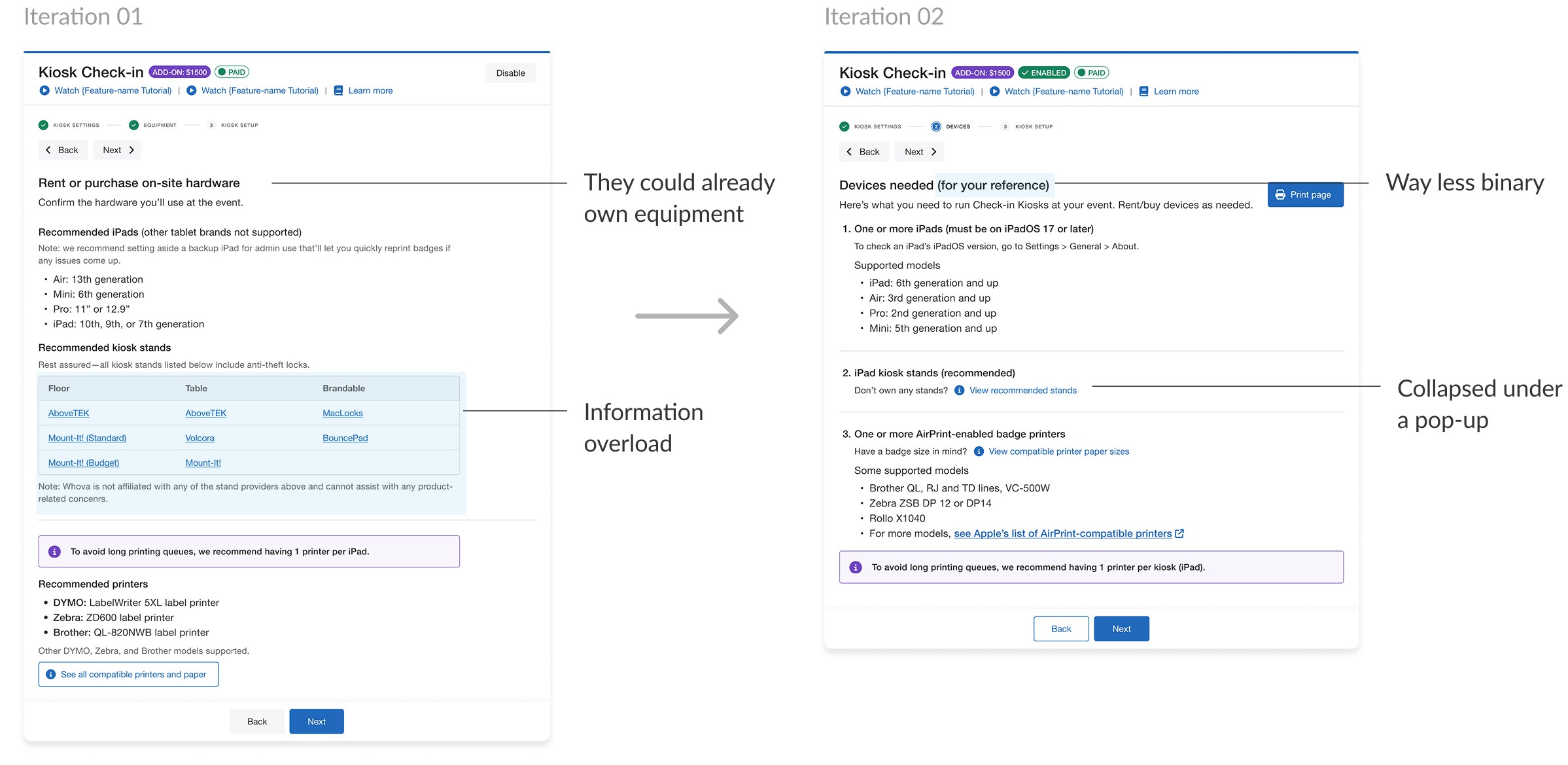
On-site equipment list
An approachable and highly legible checklist of on-site equipment needs.
Iterations
Reframing equipment requirements in a friendlier tone
We realized a long checklist could unnecessarily stress users, especially if they already owned some of the equipment.
Solution 1.2 | On-site errors
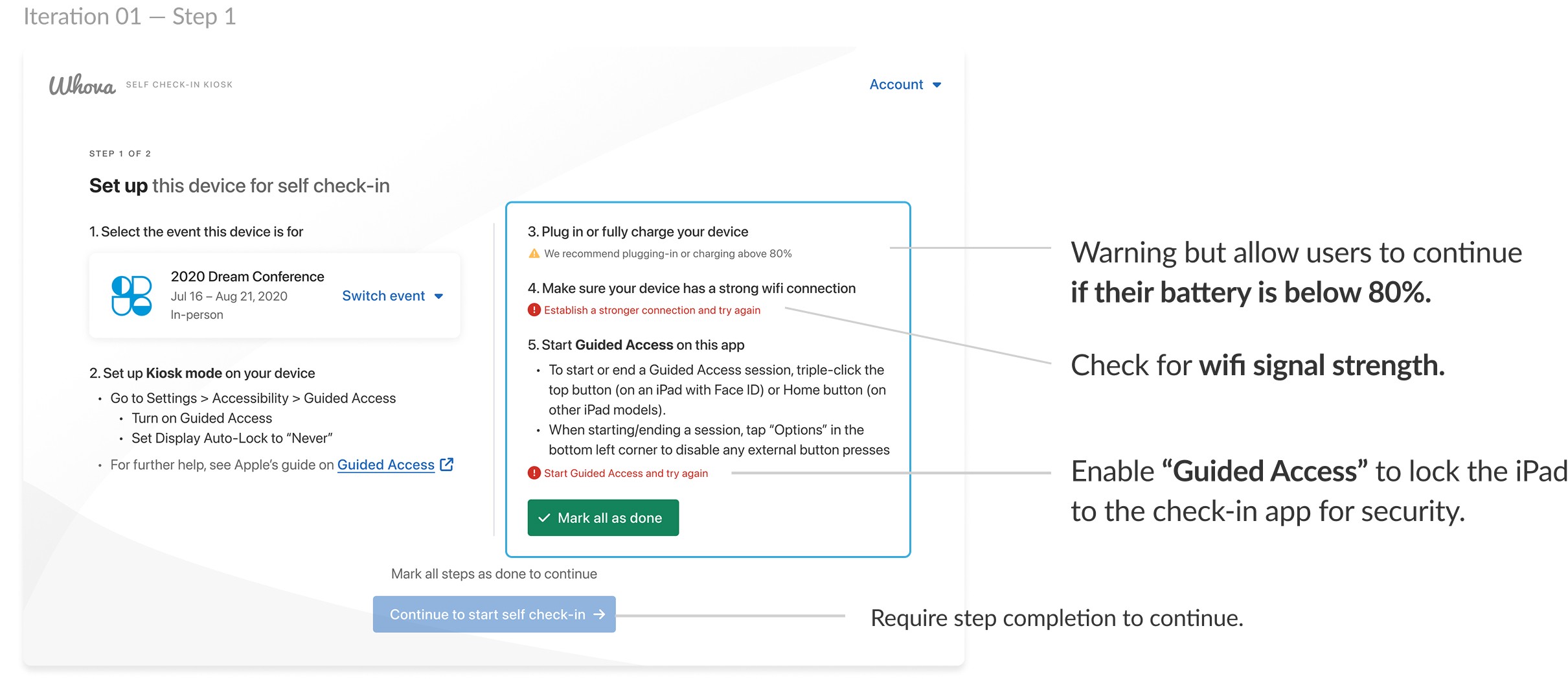
Safeguards during setup
Predicting errors before they happen.
Iterations
Catching likely setup struggles ahead of time
I added real-time checks for common setup issues, helping catch and fix problems to help check-in go smoother.
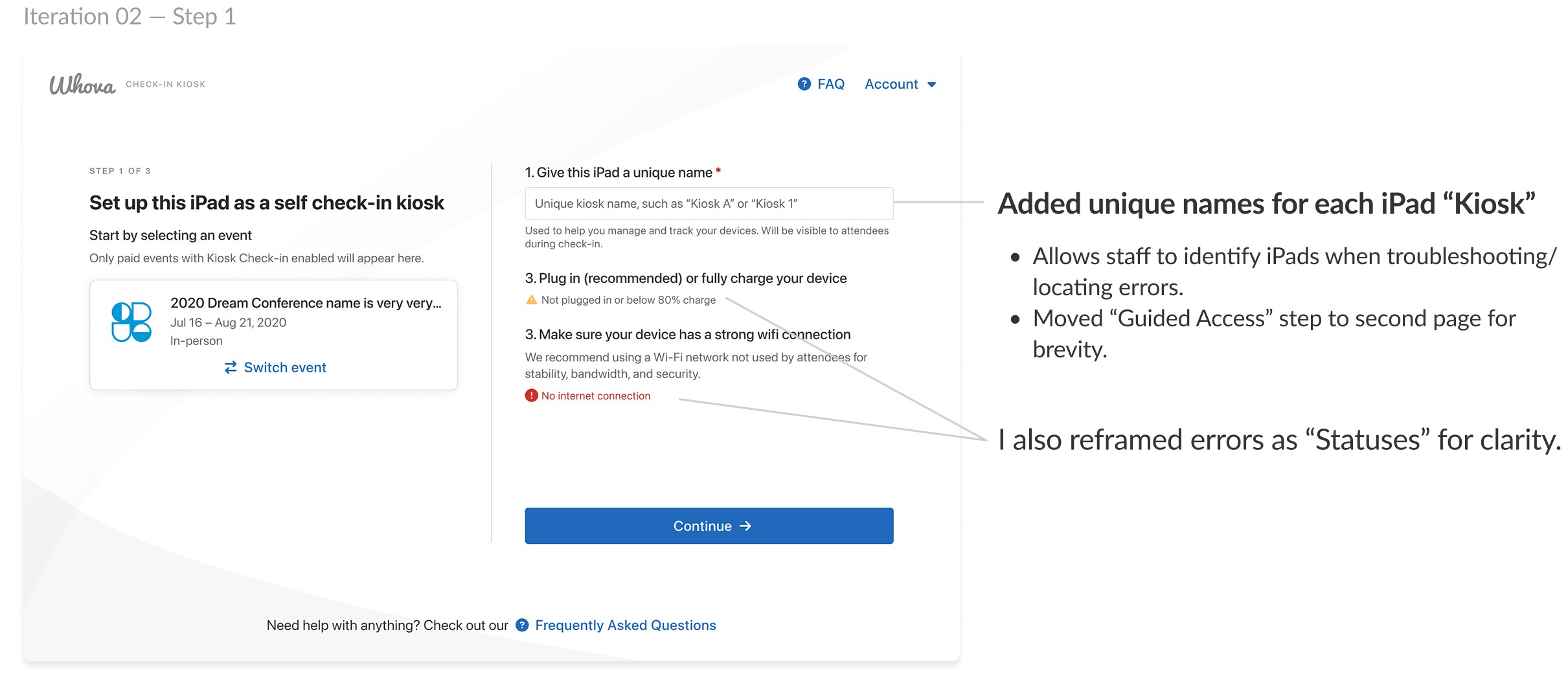
Giving errors more context
We realized it’d be difficult to describe issues if they came from multiple iPad Kiosks at the same time…users needed context.
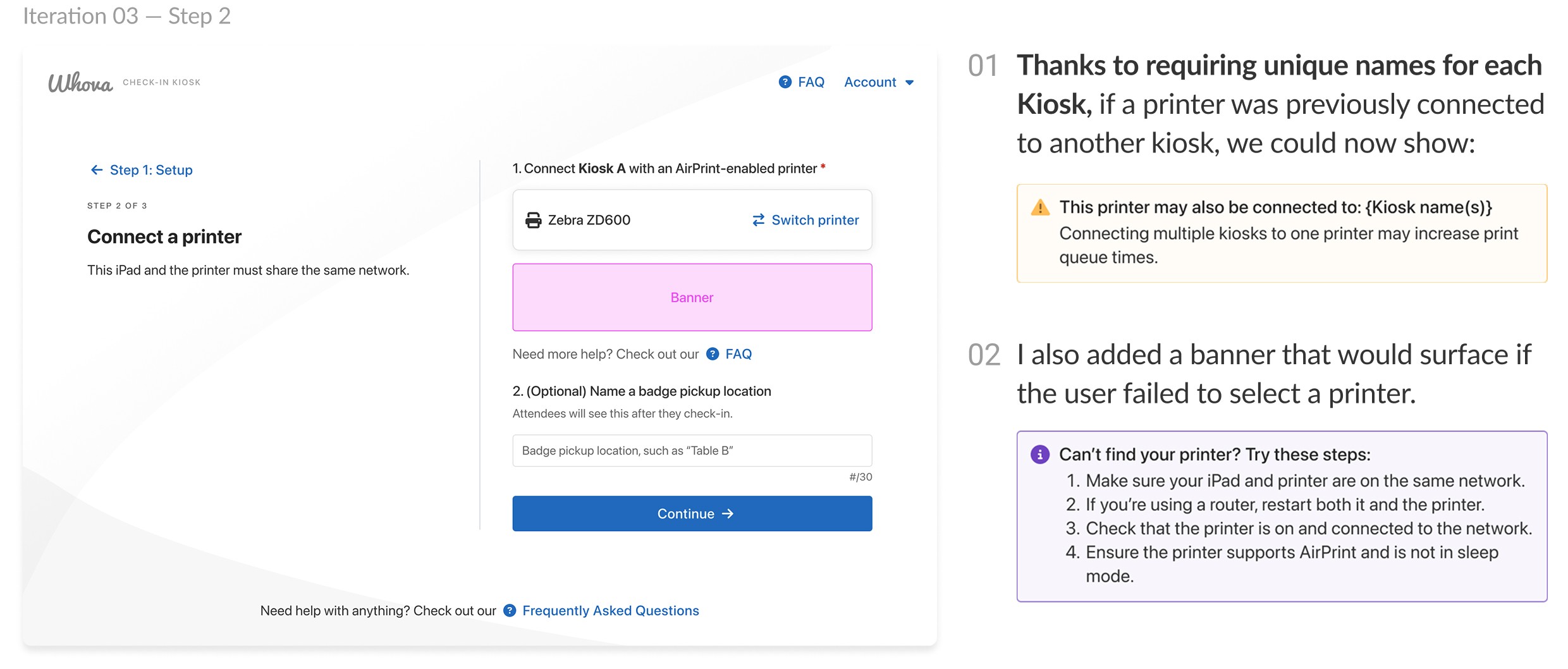
Linking printers to iPads
Since printers are notorious for taking a ton of trial-and-error, I focused on making the setup process more transparent and forgiving.
Empower organizers with a lean check-in + badge printing setup built to impress crowds of any size.
Subgoal 2
Lower pressure on event staff during peak check-in times
Research
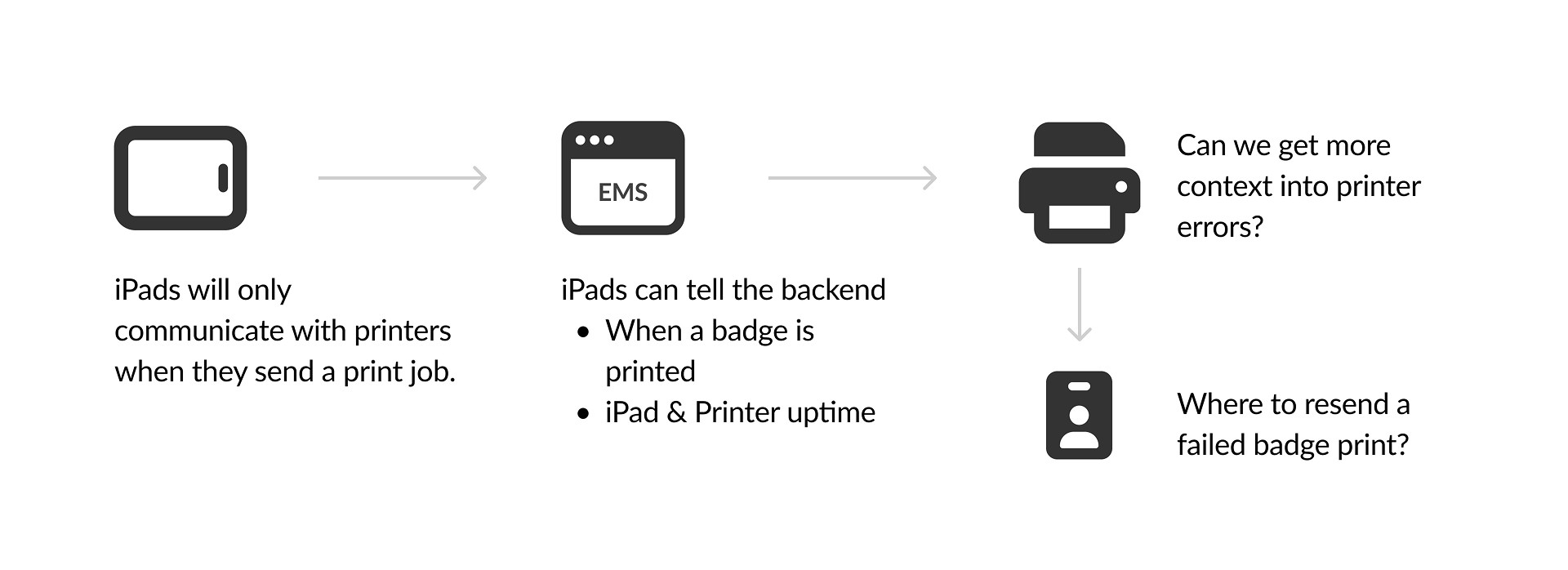
Designing within technical constraints
Hardware failures are outside of our control, but we can still help make them less painful.
Solution 2.1 | On-site errors
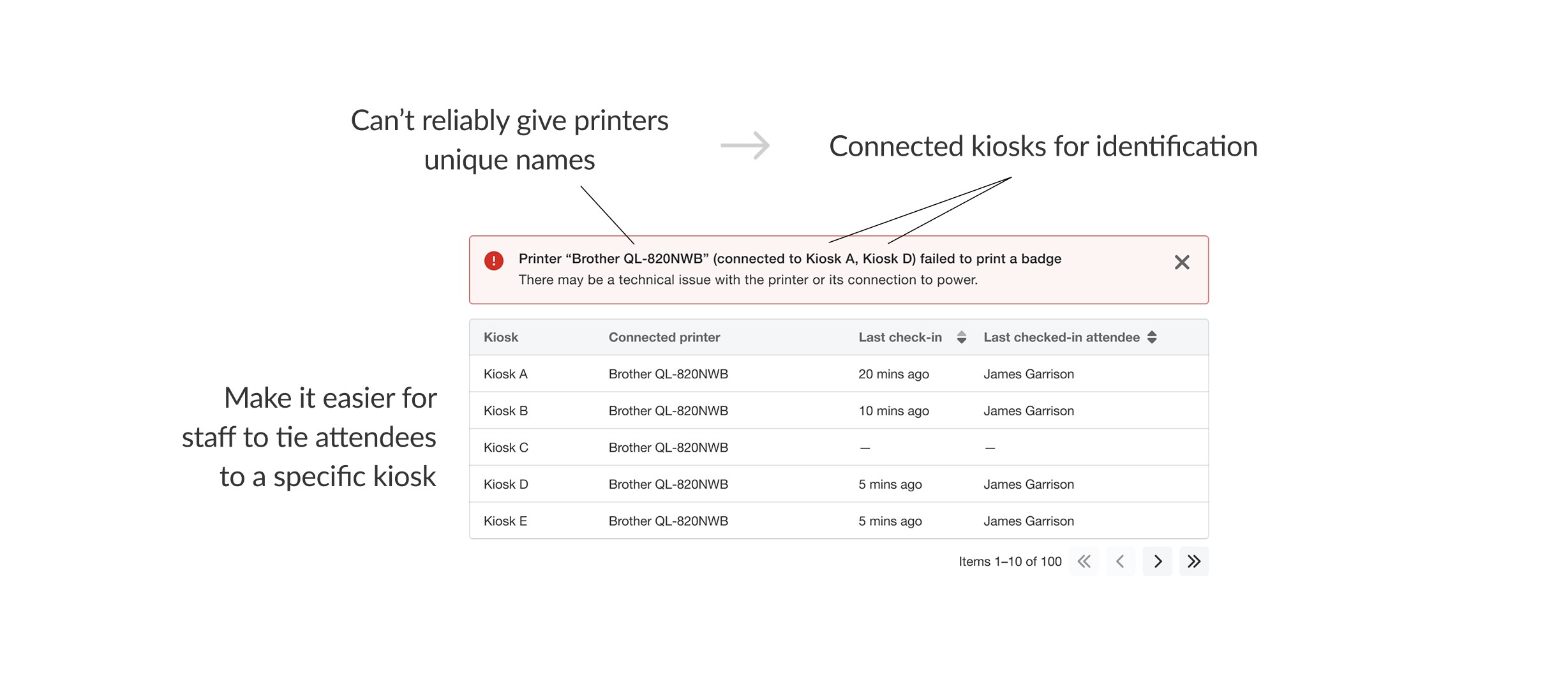
Putting errors into context
Using context clues to supplement lacking error info.
Iterations
Being descriptive with errors
Printers provided very little in diagnostic info. This pushed me to find workarounds using contextual clues instead.
Print job failed
Generic error
Printer connection with iPad lost
iPad connection with Internet lost
Solution 2.2 | On-site errors
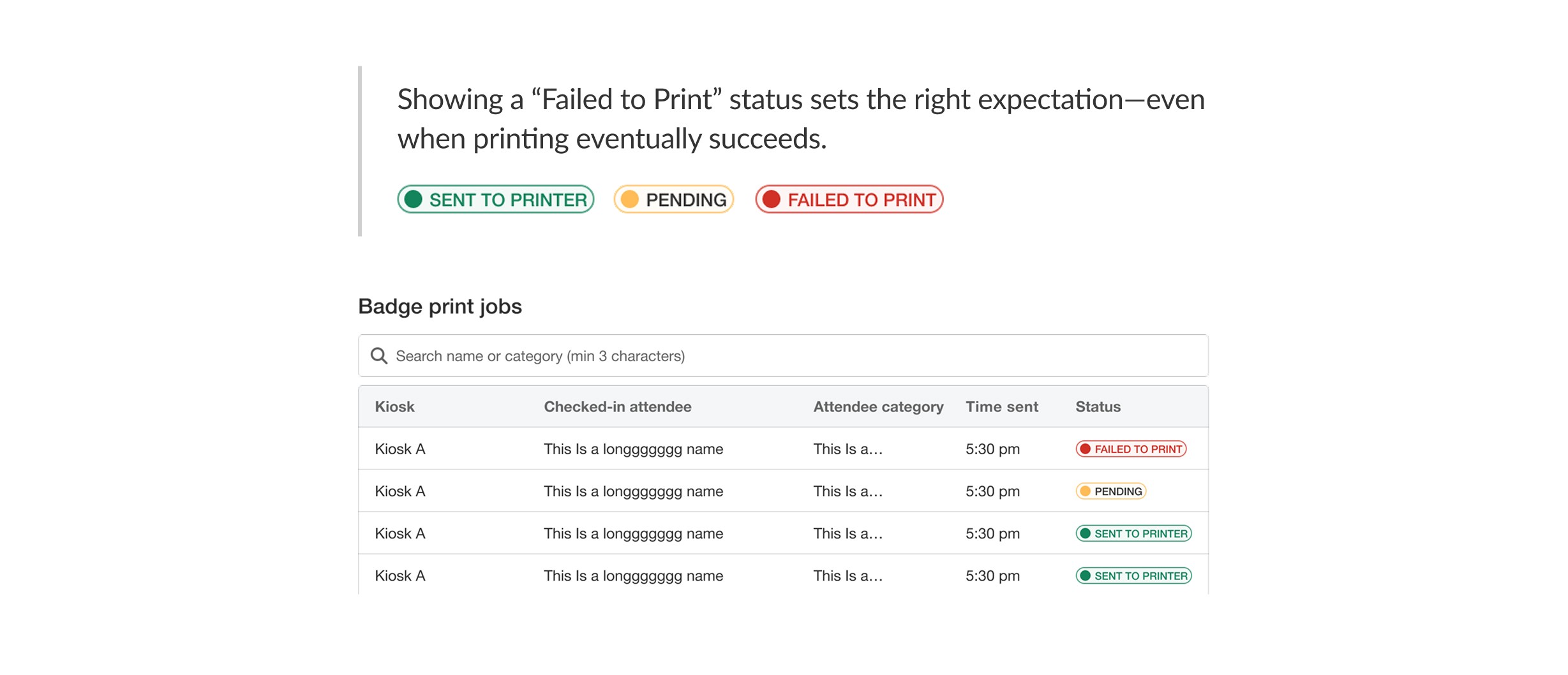
Troubleshooting errors on-site
Giving the user agency to fix errors on their own.
Iterations
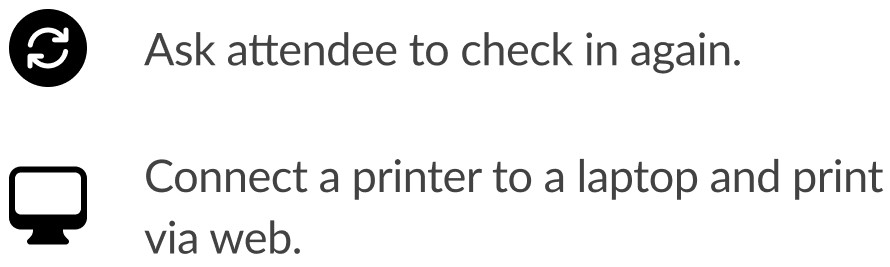
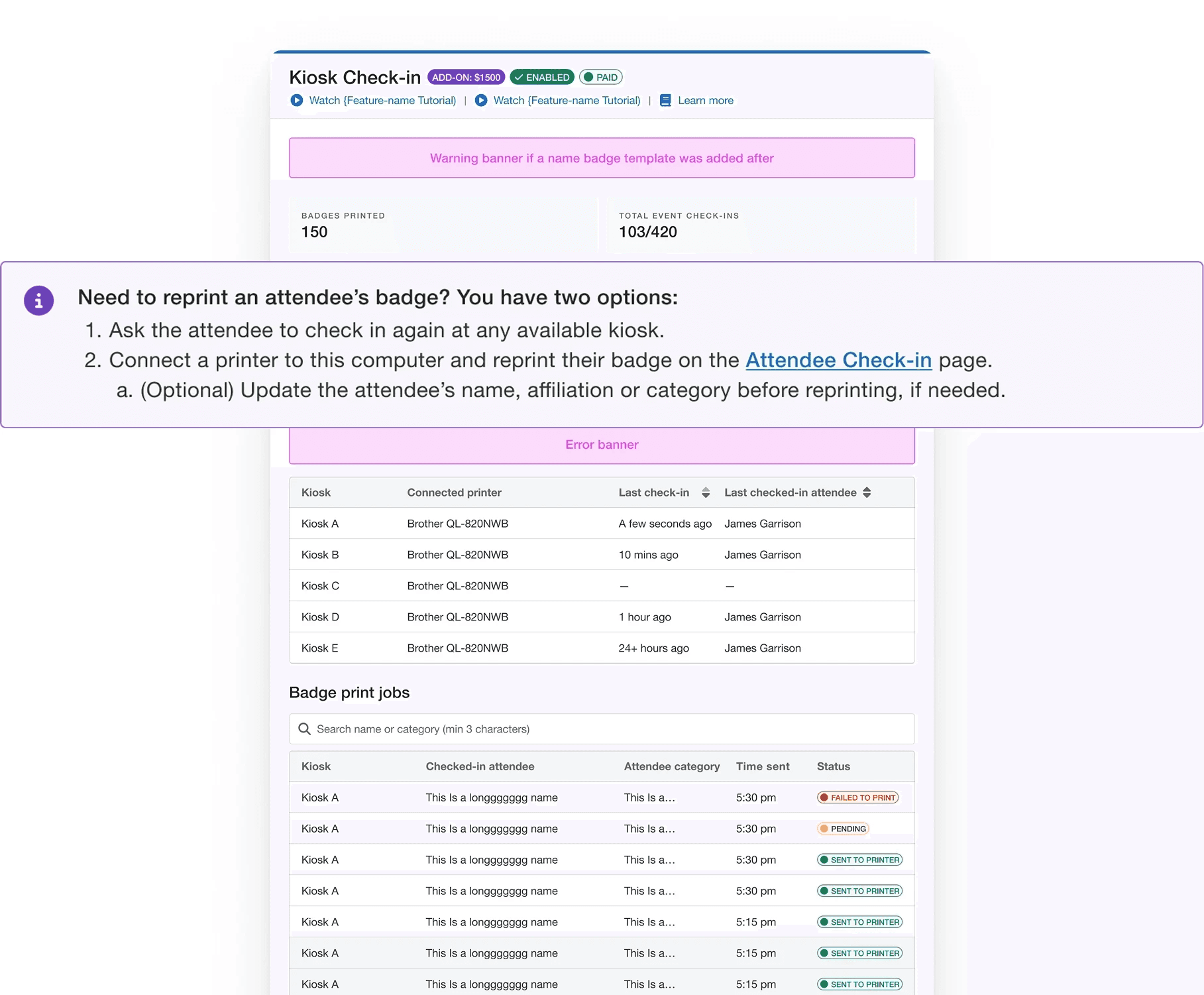
Defining a clear error recovery path in case of printer failure
Printer failures were the most common issue, but automatically rerouting a print job could create further confusion. We wanted to give users agency over errors.
Empower organizers with a lean check-in + badge printing setup built to impress crowds of any size.
Subgoal 3
Streamline check ins to give attendees a fast, polished first impression
Solution 3.1 | Long wait times
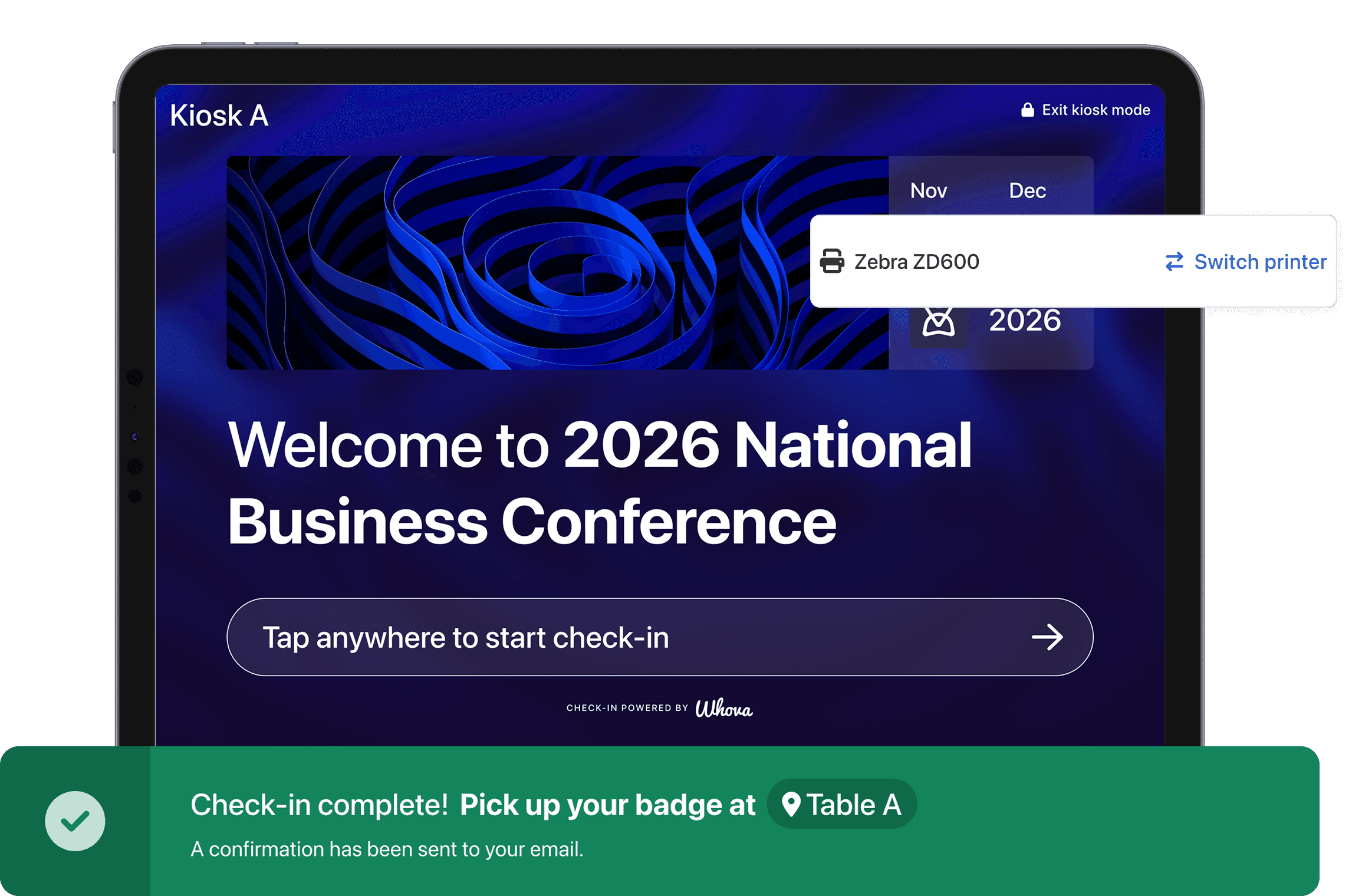
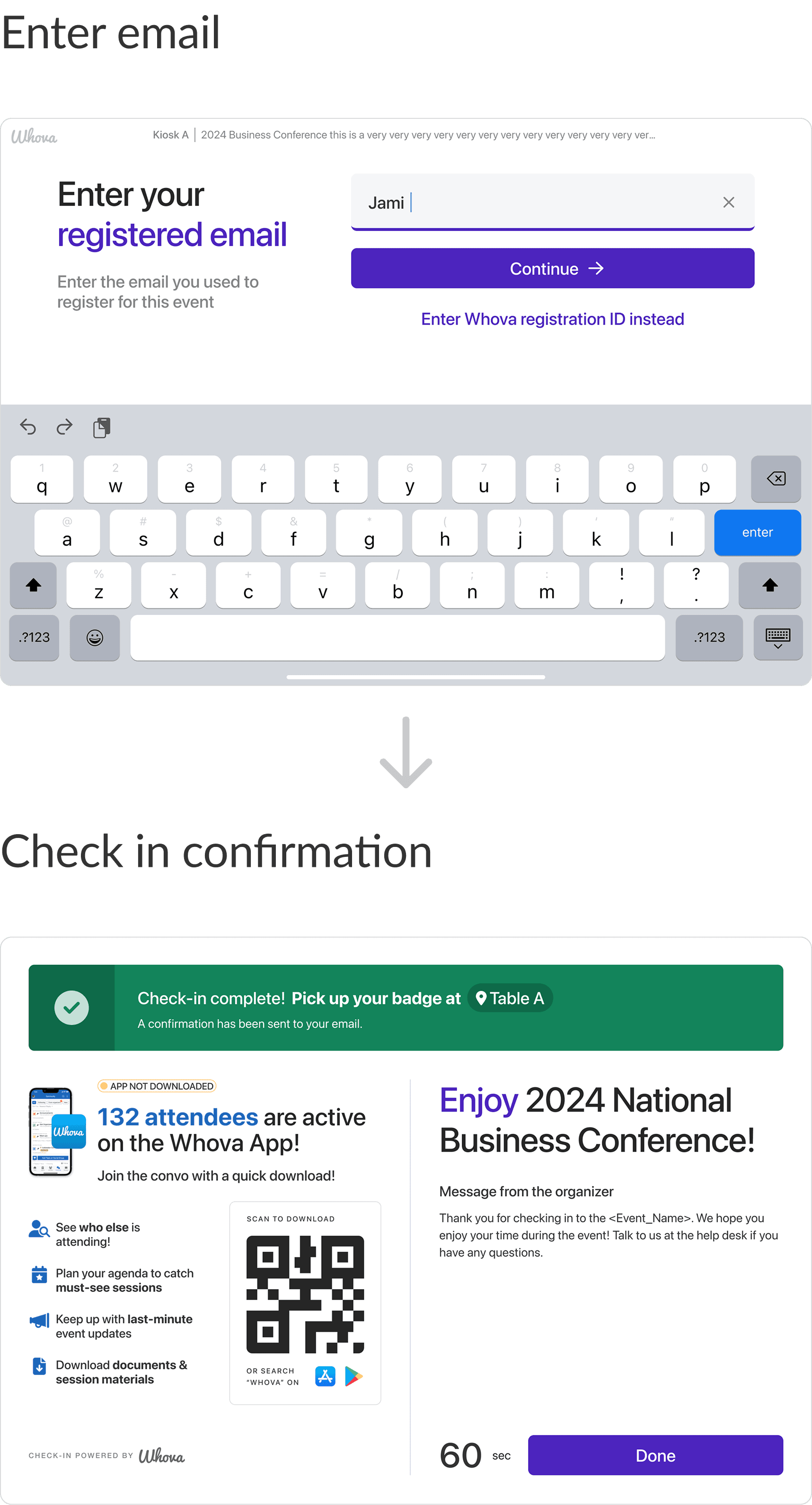
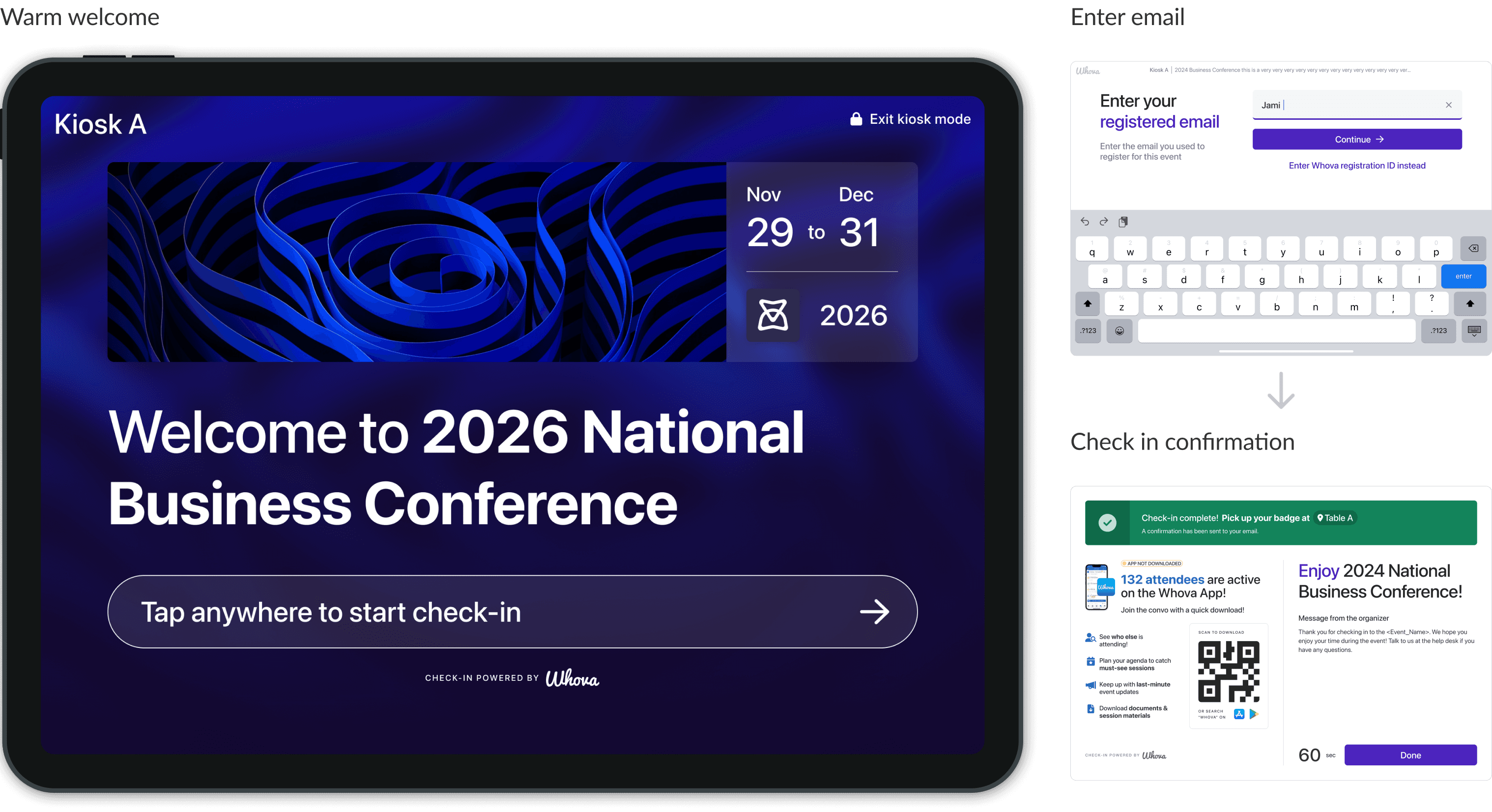
iPad Check-in Kiosk
Self check-in iPad kiosks to handle large events at scale.
Iterations
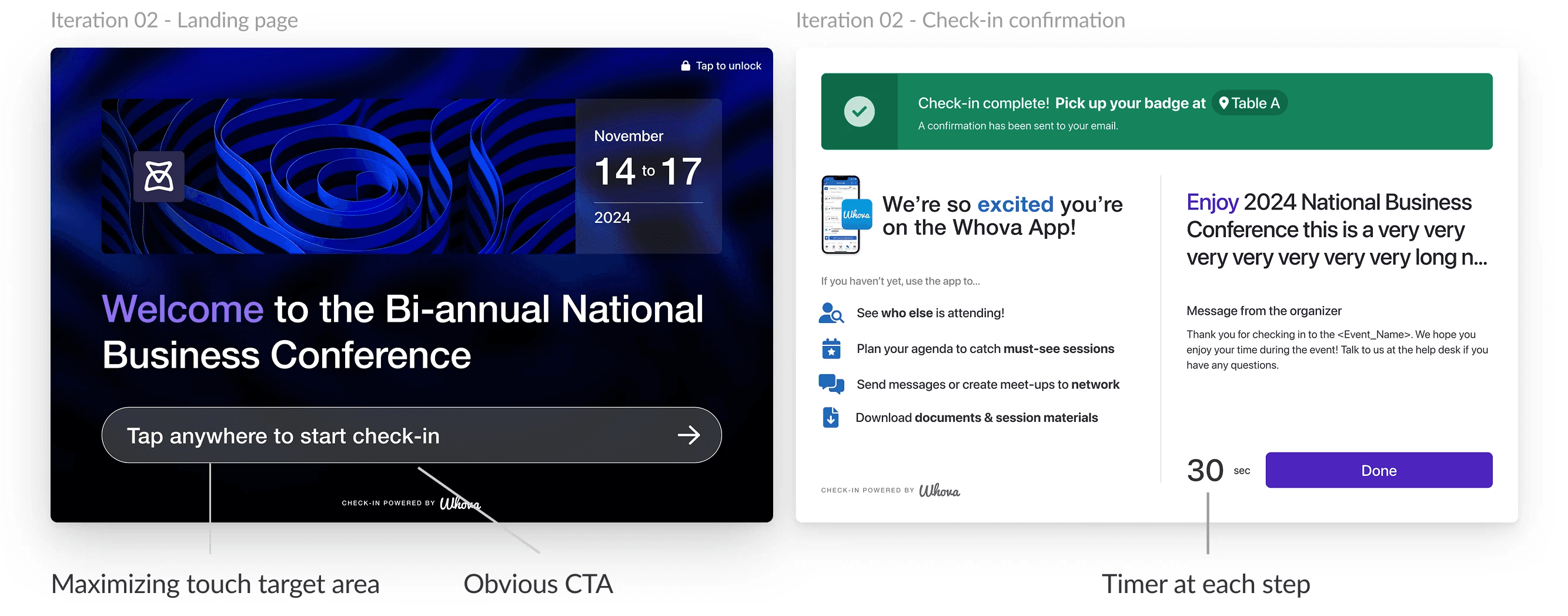
Designing for speed and clarity
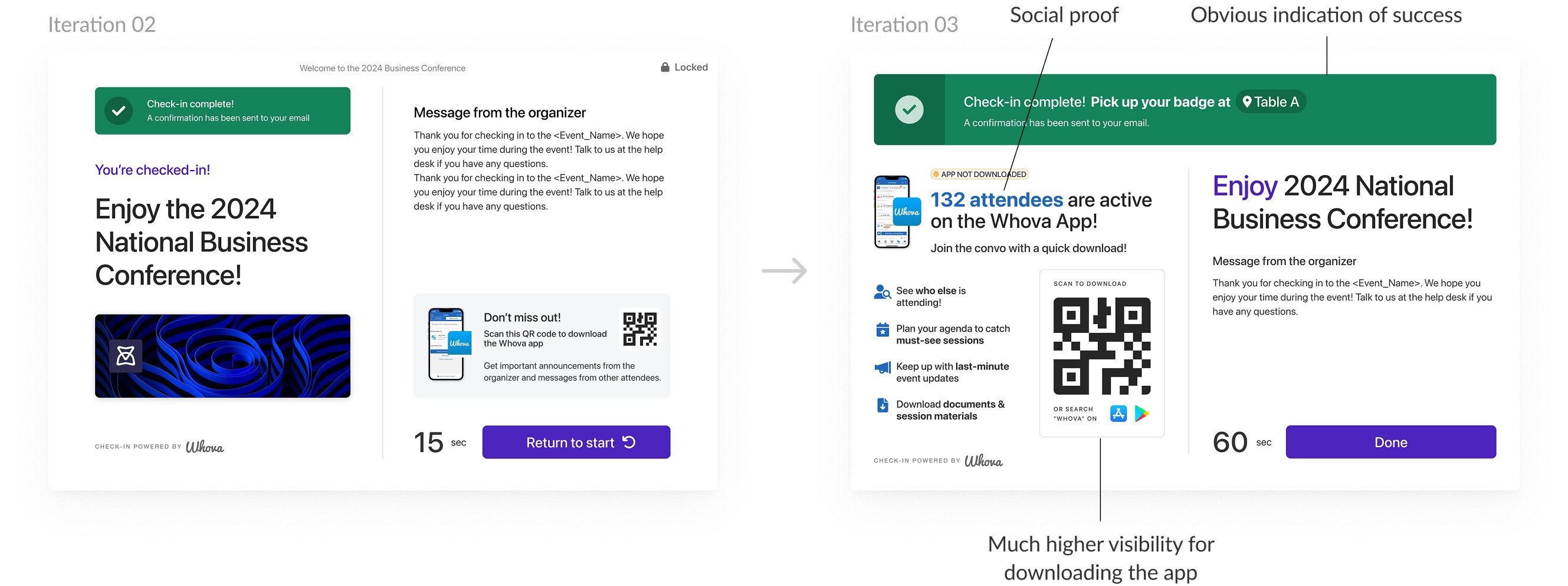
Scaling everything up
Solution 3.2 | Long wait times
Badge details preview
Less visual, more functional badge preview.
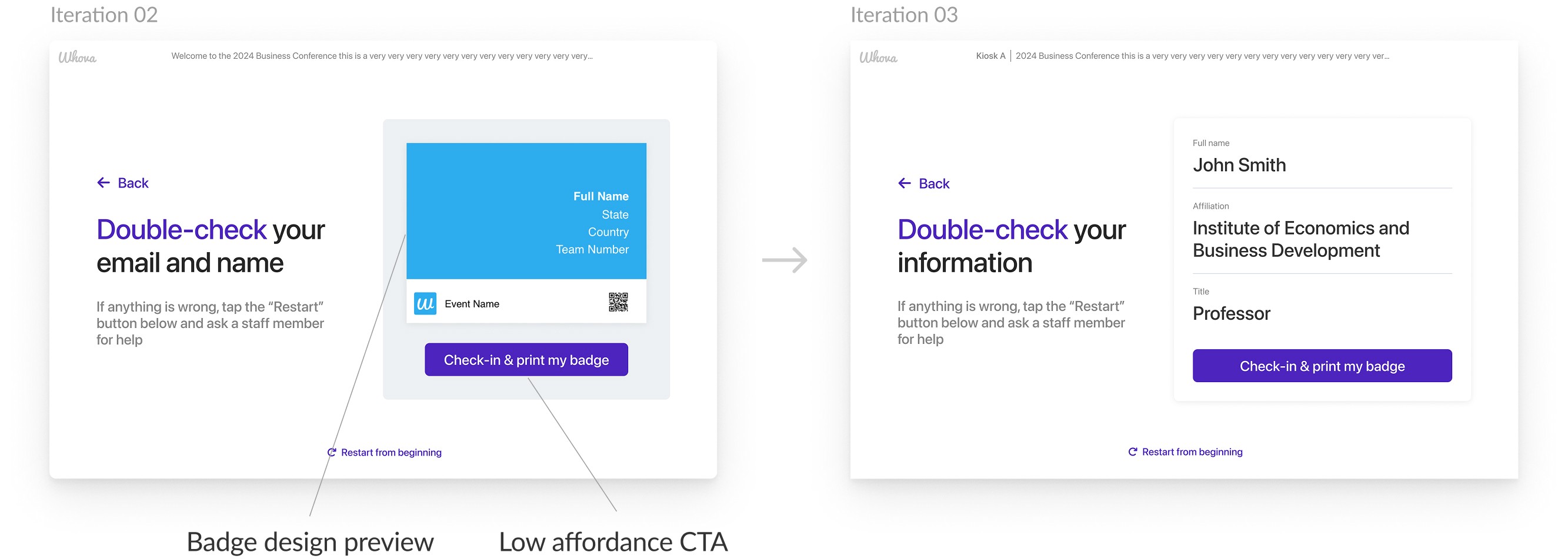
Iterations
Focusing on accuracy over visual pop
At check-in, stopping to admire a beautifully designed badge matters a lot less than making sure your name isn’t spelled wrong.
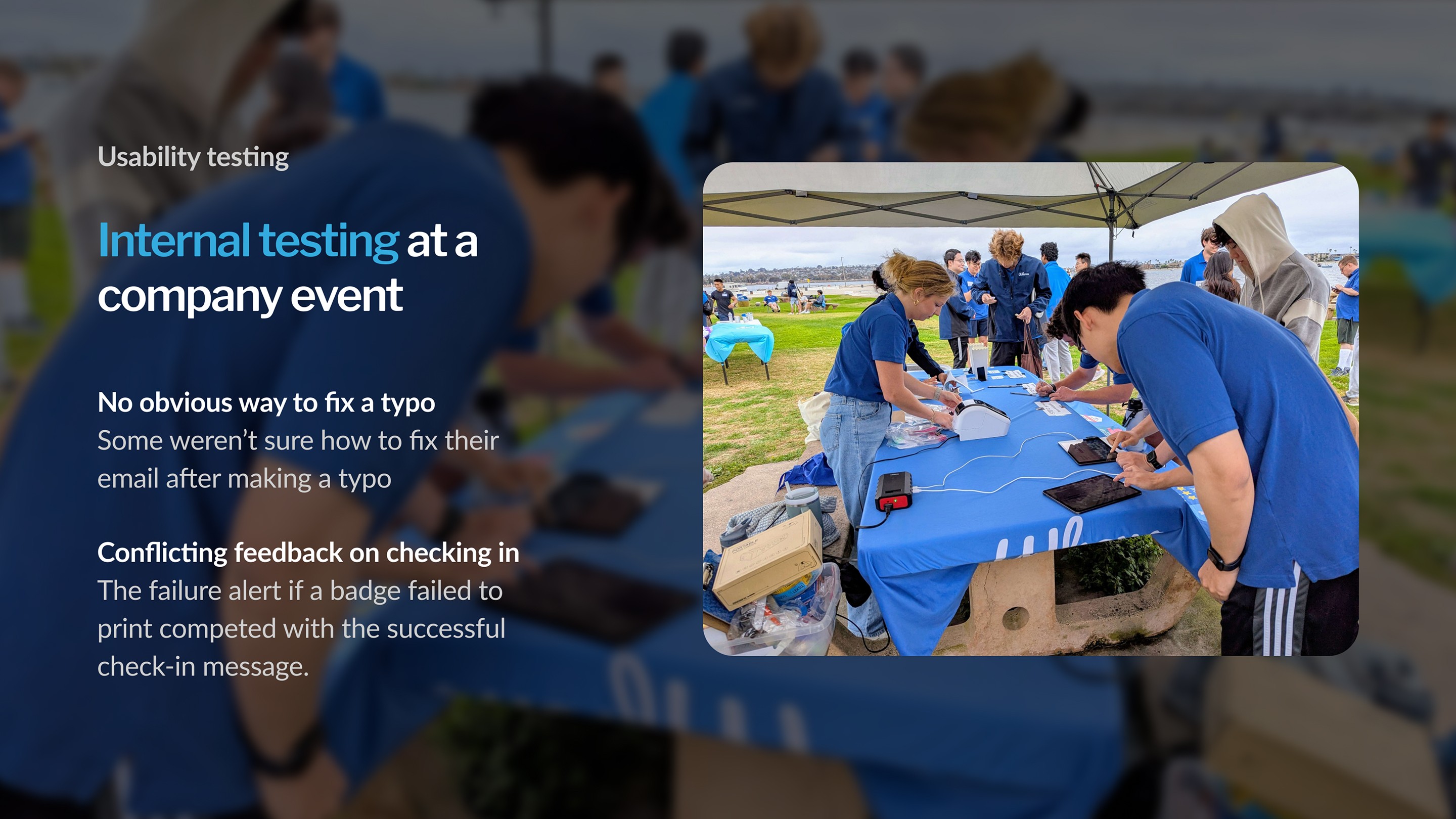
Usability Testing
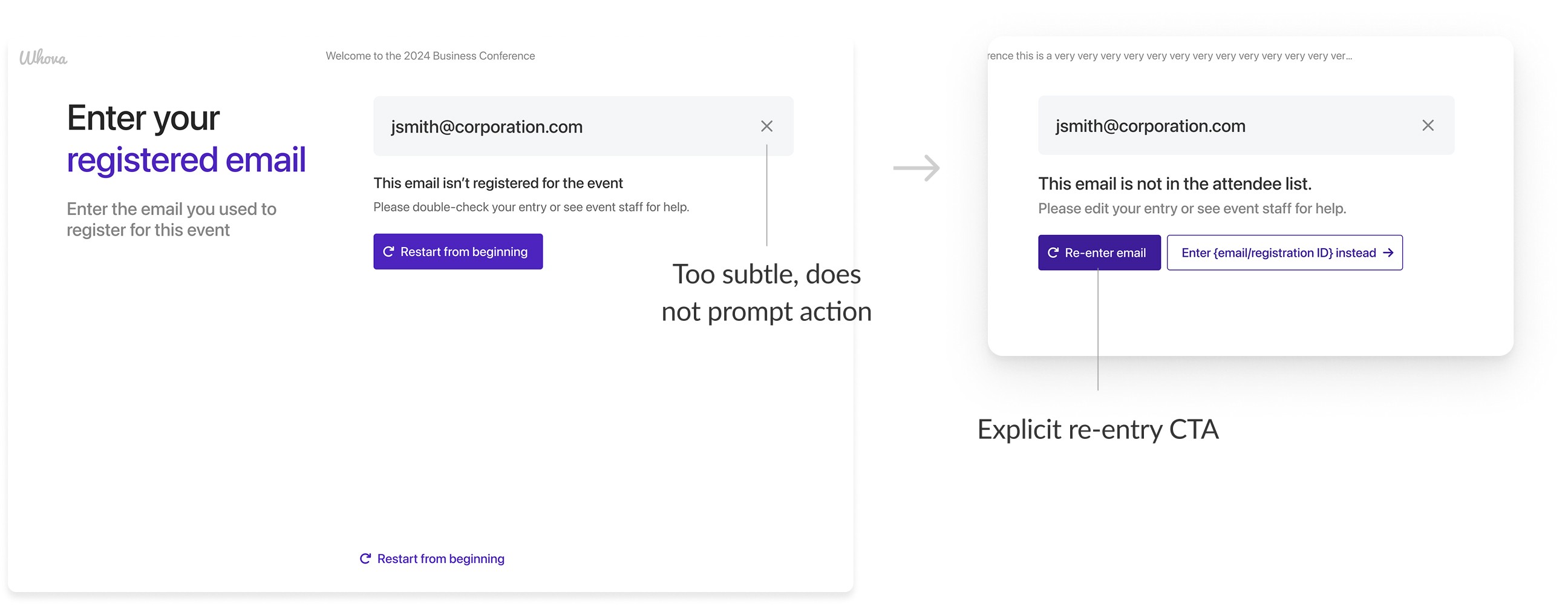
Usability Improvements
Adding an obvious way to recover from email typos
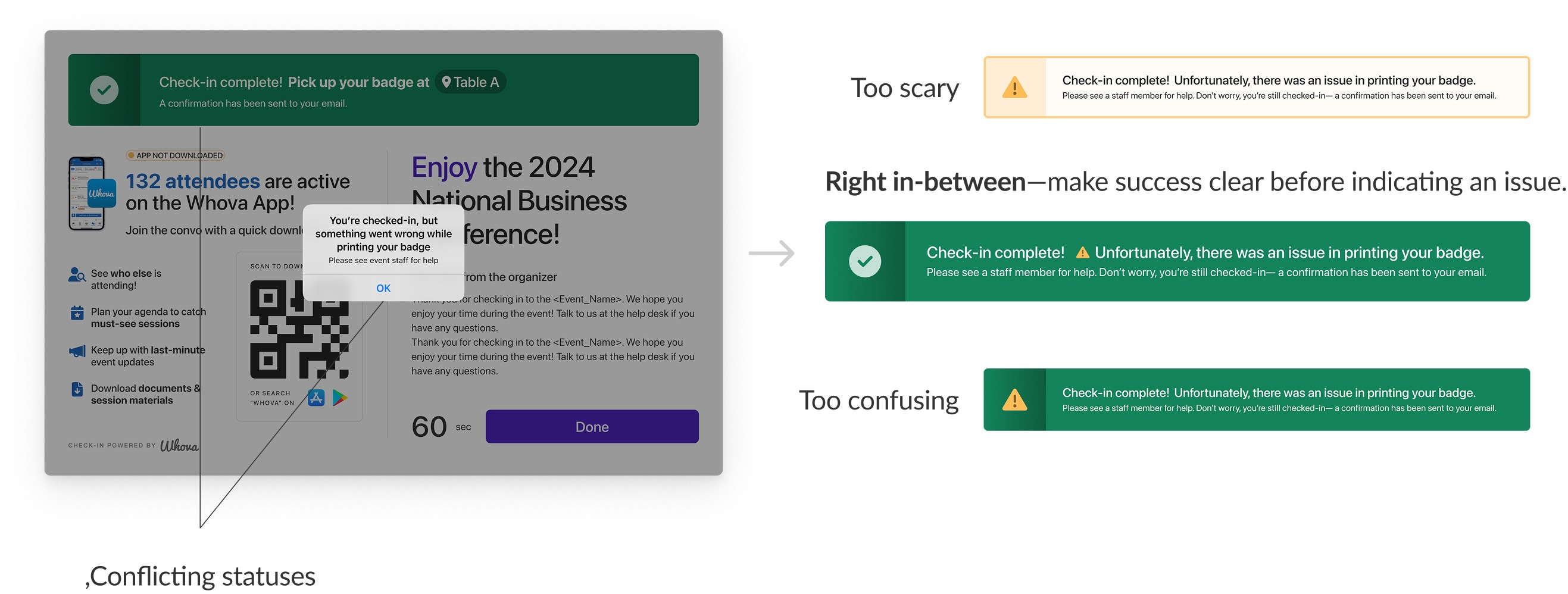
Aligning post check-in feedback for clarity
The final metrics
Within the first month…
15+ customers
Purchased Kiosk Check-in.
This also locked customers into using Whova's Name Badge and other related features.
1000+ attendees
Checked in without issue.
"[Kiosk Check-in] took our registration line wait from 90 minutes at peak to 6 with six kiosk stations and 4,700+ attendees."
— Early major customer
Takeaways
Empathy as Reassurance
Simplifying the equipment checklist and adding completion checks reduced setup anxiety and helped organizers trust that everything was ready. Before demo, I never considered how a long checklist could present emotionally, especially to users who might be trying out kiosk printing for the first time.
Constraints are part of the solution
Instead of treating system constraints as blockers and overengineering around limitations, I realized it was more effective to work with them and shape smarter, more practical design decisions in collaboration with engineering.
Designing beyond the happy path
In high-pressure environments like check-in, success isn’t defined by the ideal flow, but by how the system behaves when things go wrong. I focused on designing clear recovery paths and feedback for errors and edge cases, so small failures wouldn’t turn into confusion, delays, or staff intervention.