Whova
Boosting trial conversions with a predictive feature guide + a friendly onboarding companion.
TOOLS
Figma, Jira
TEAM
The feedback of 3 designers + 1 PM and 4 engineers
IMPACT
Increased trial activation rate (visiting multiple tabs) by 31%.
Whova is a comprehensive event management platform designed to help organizers plan, promote, and hold various events, from conferences to expos. My work at Whova has been varied, but with a focus on the Trial Onboarding and Check-in features. I've included below my work through multiple projects on our customer onboading dashboard.
Optimizing the trial onboarding experience
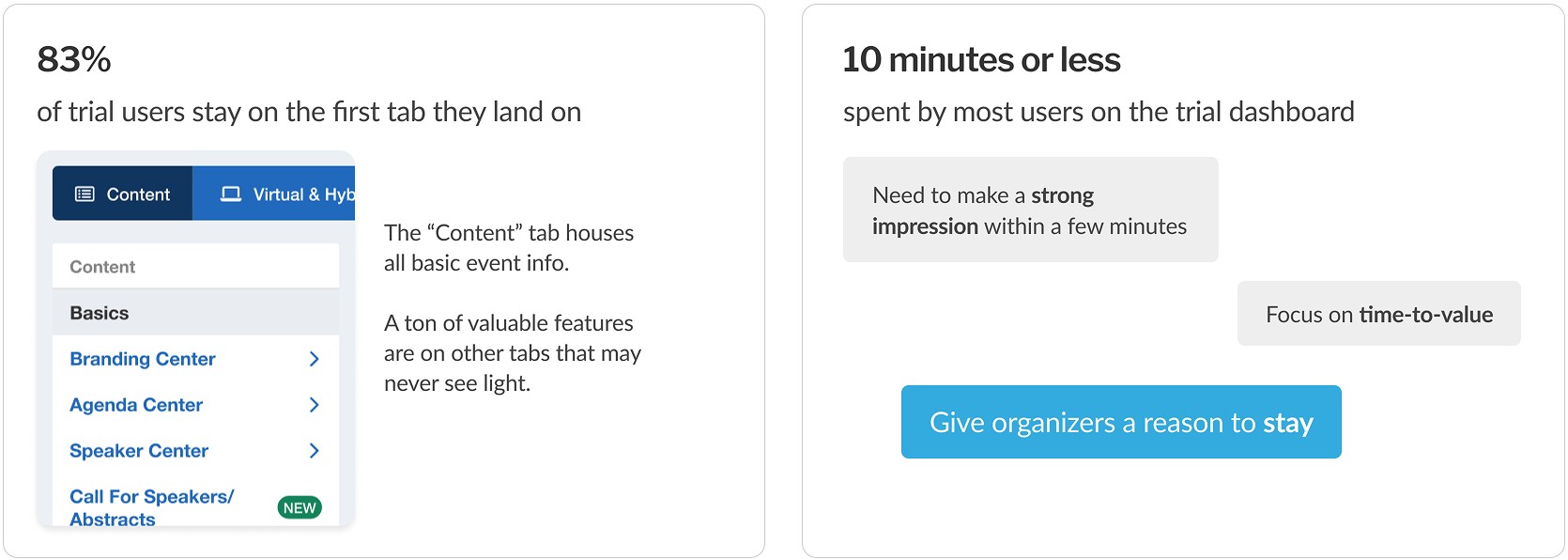
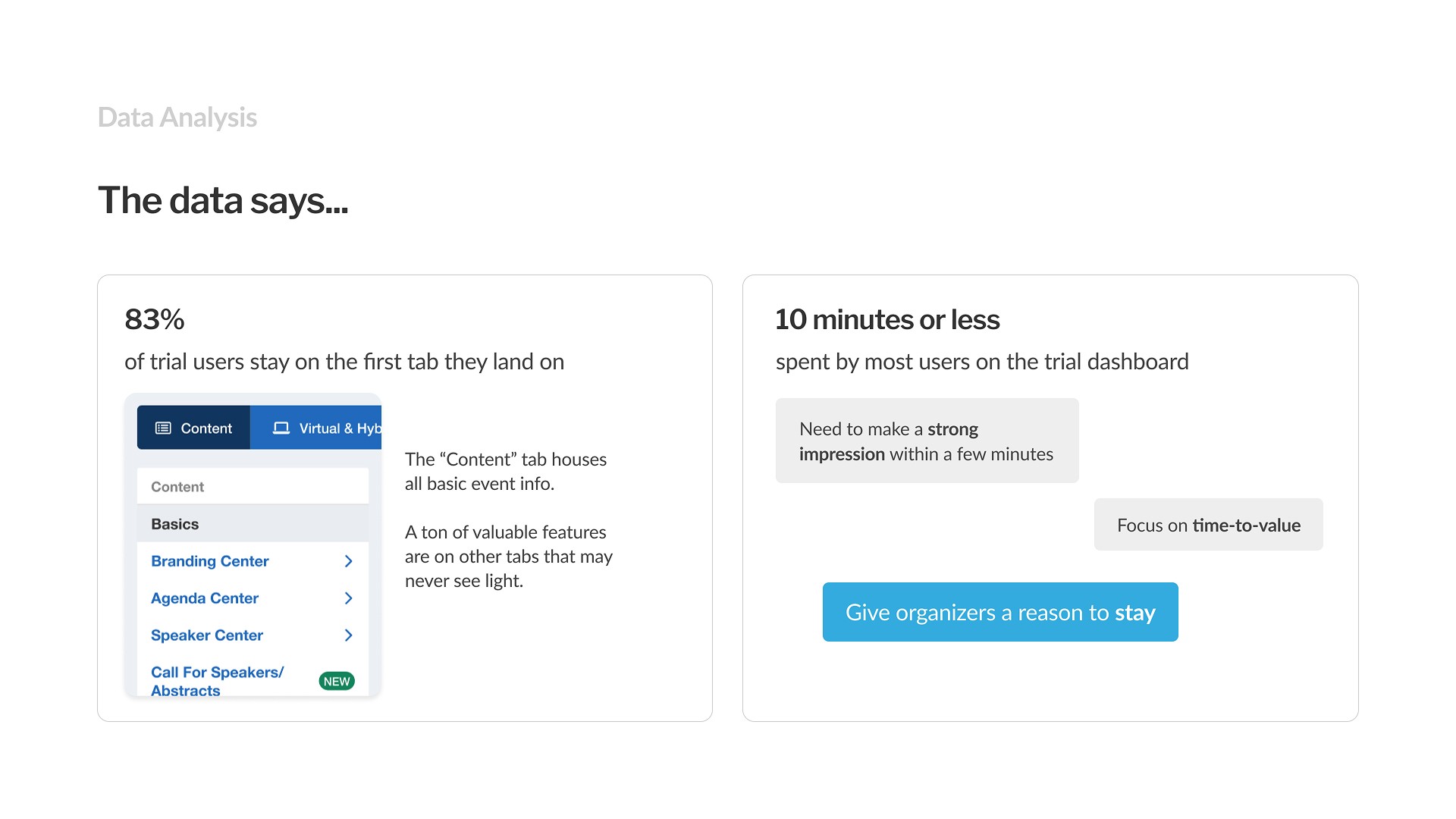
Many Whova Trial users were not exploring past the first tab of the Whova dashboard, meaning they weren't exposed to a vast majority of Whova’s features.
If users explored even a bit more, the chances of sparking an ‘Aha!’ moment that could turn into a conversion were far higher. Exploration would also provide time for users to discover value not covered in brief sales demos and find relevant add-ons (cross-selling opportunity).
Problem
Trial users rarely explore past the first pages of the Whova dashboard, leaving a vast number of features untapped

Final Solution
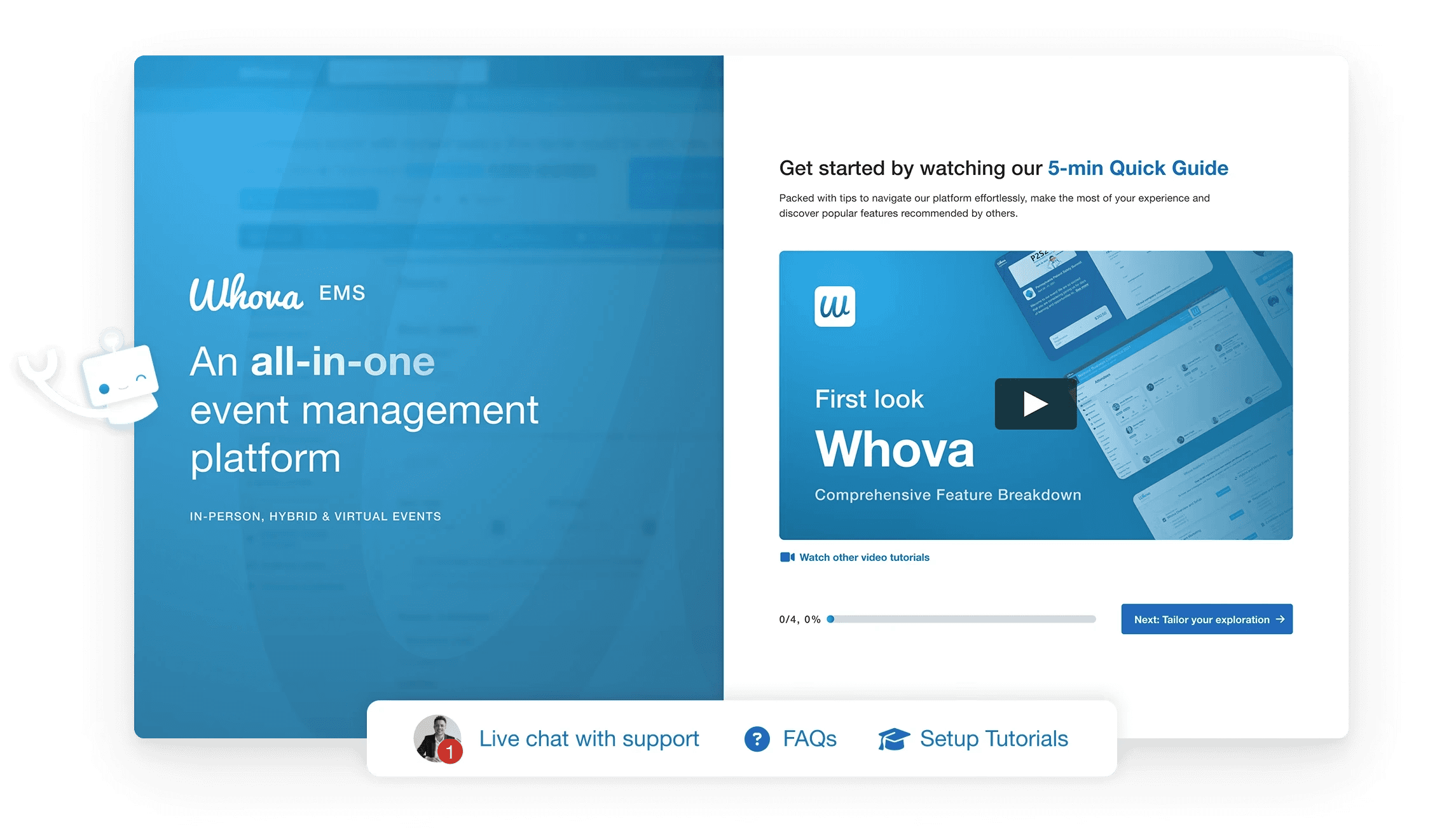
Guiding users to value with feature suggestions
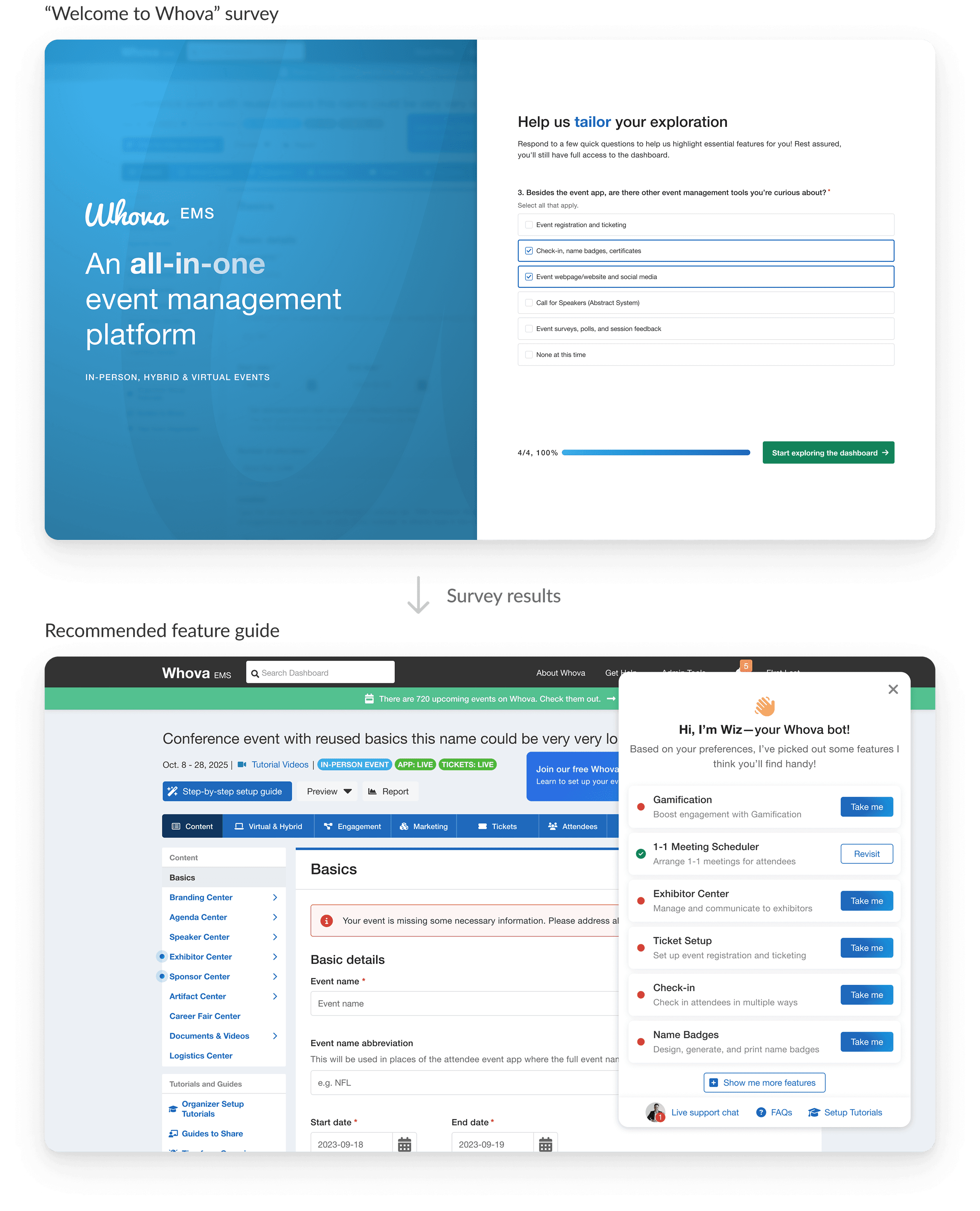
Leading with a short survey, then using the results to point the user directly to what they're looking for.

Context
Trial users weren't exploring further than surface level
Understanding users
We knew customers had 3 main priorities
Validate the sales pitch
Leads have dealbreaker requirements for their event
Ensure ease of use
Leads want to save time and minimize friction
Explore additional value
Sales has limited time to demo. Trial users may explore further on their own to discover or confirm value
Research
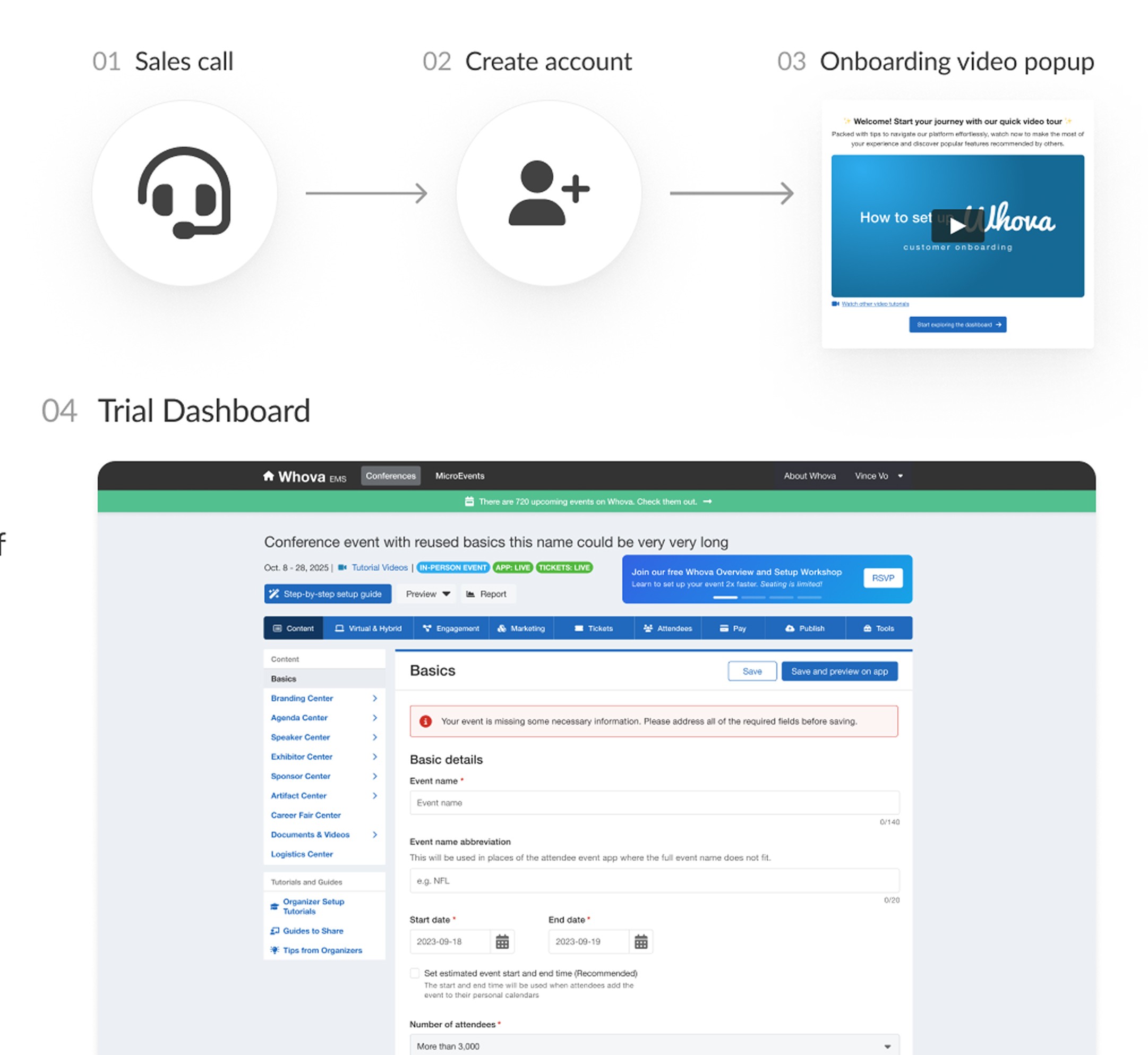
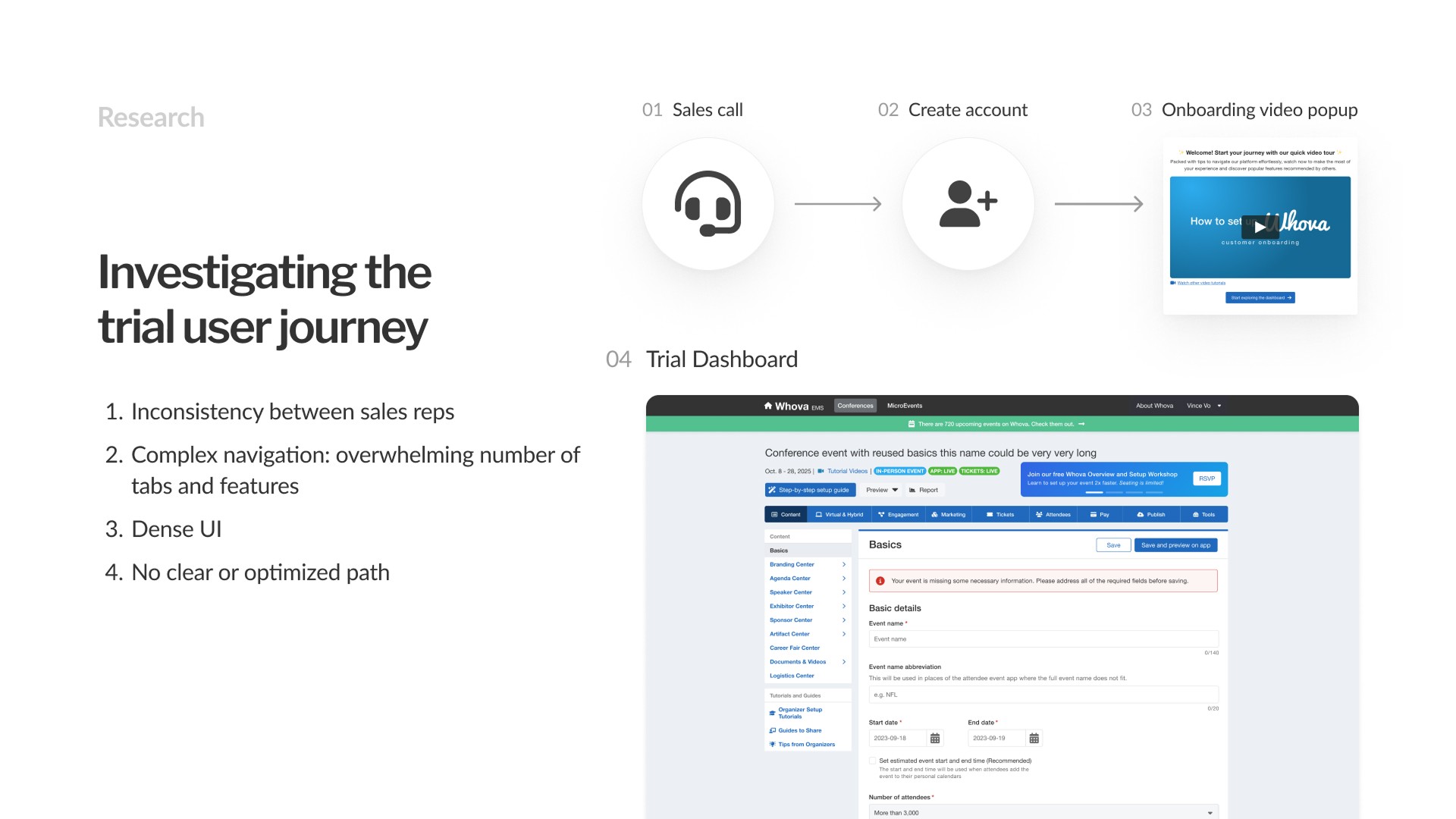
So where were we losing users?
Inconsistency between sales reps.
No clear path or next steps
Complex, dense navigation: the dashboard has an overwhelming number of tabs and features.
Synthesis
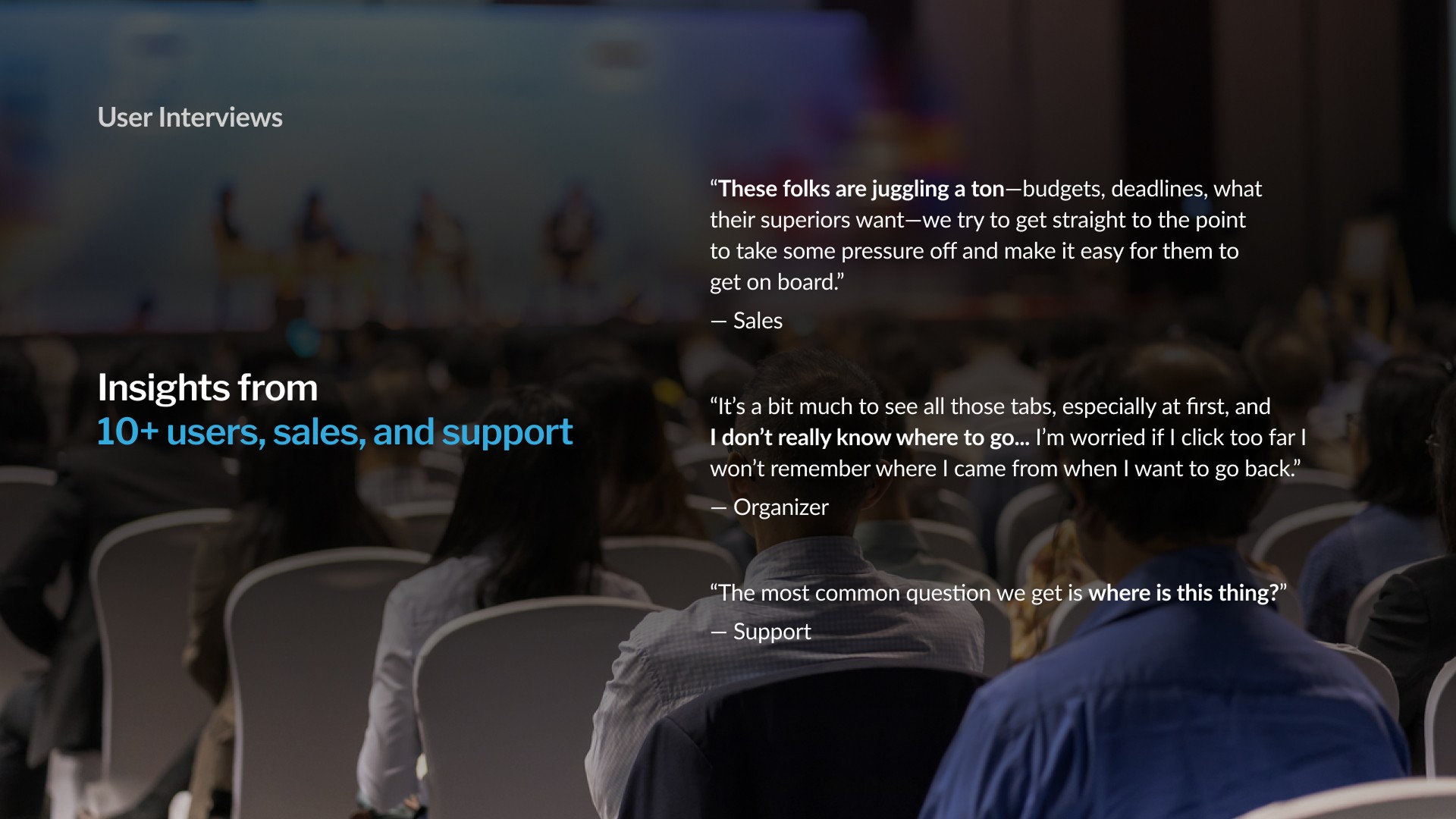
I distilled our findings into 3 key pain points
01
Too many features
Leads have dealbreaker requirements for their event
02
Complex navigation
Leads want to save time and minimize friction
03
Limited time before dropoff
Sales has limited time to demo. Trial users may explore further on their own to discover or confirm value
Goal
Drive user activation and upsell potential by streamlining trial onboarding journeys to fit event-specific needs

Drive user activation and upsell potential by streamlining trial onboarding journeys to fit event-specific needs
Subgoal 1
Identify the unique needs of different organizers
Research
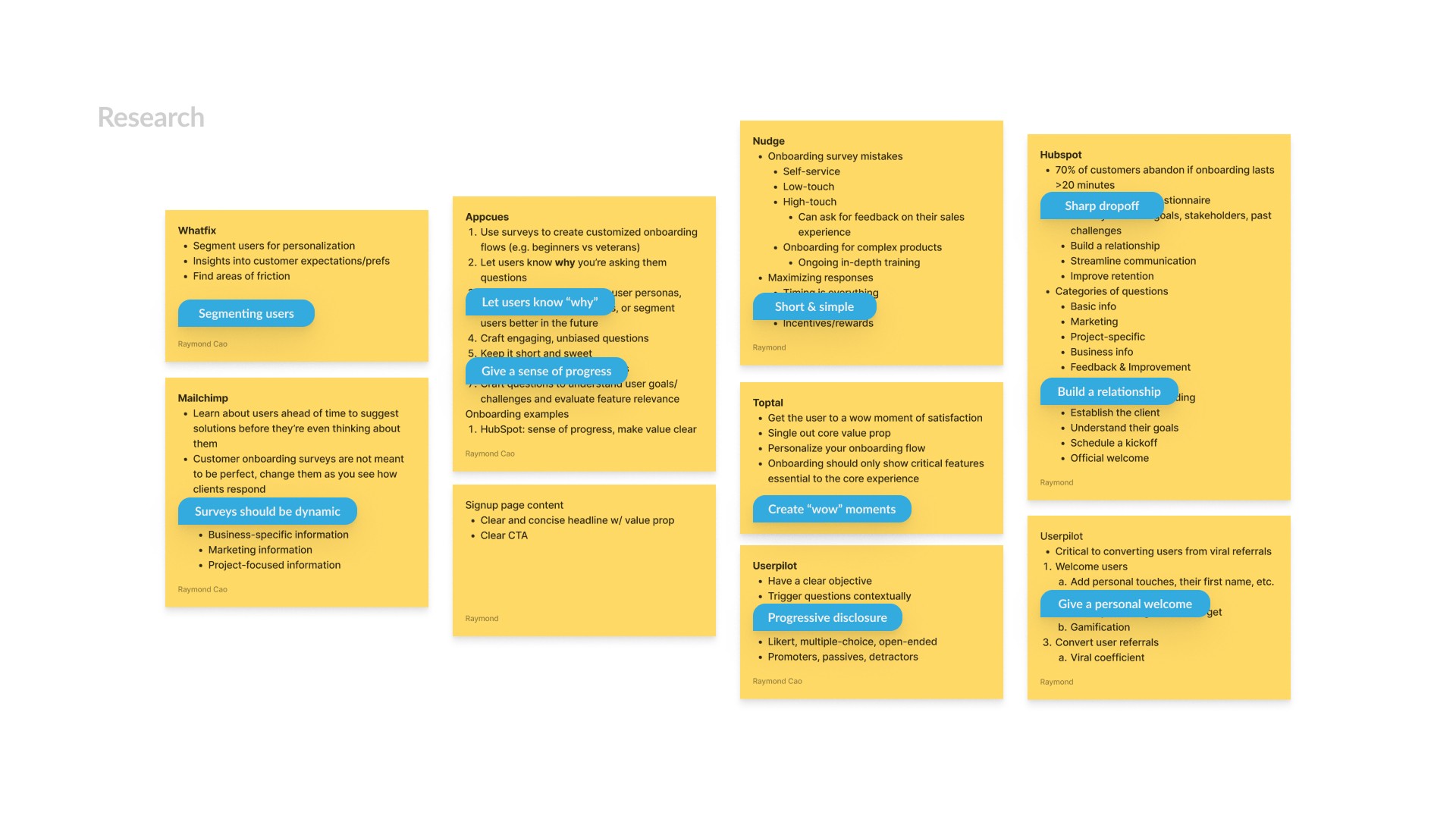
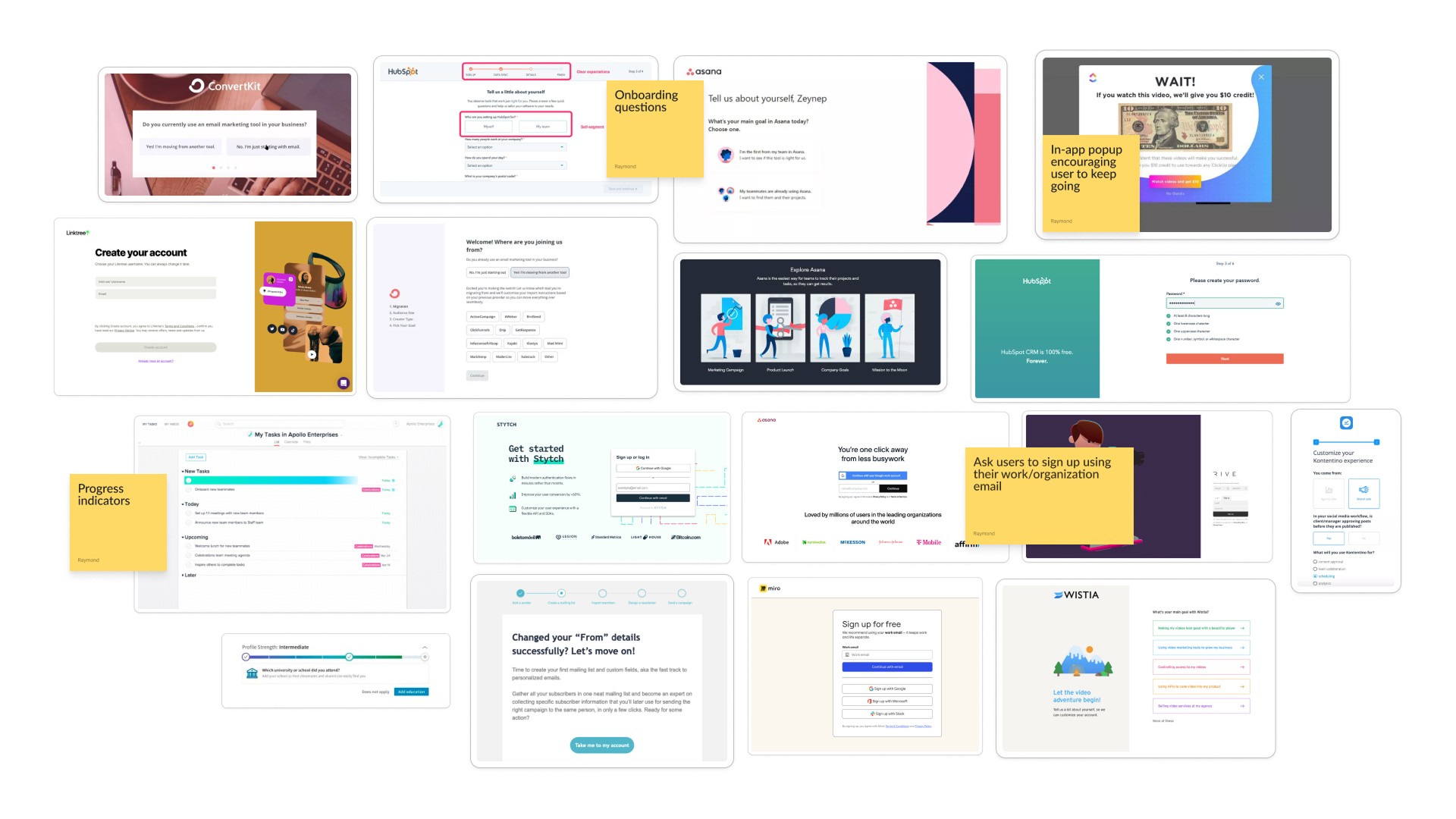
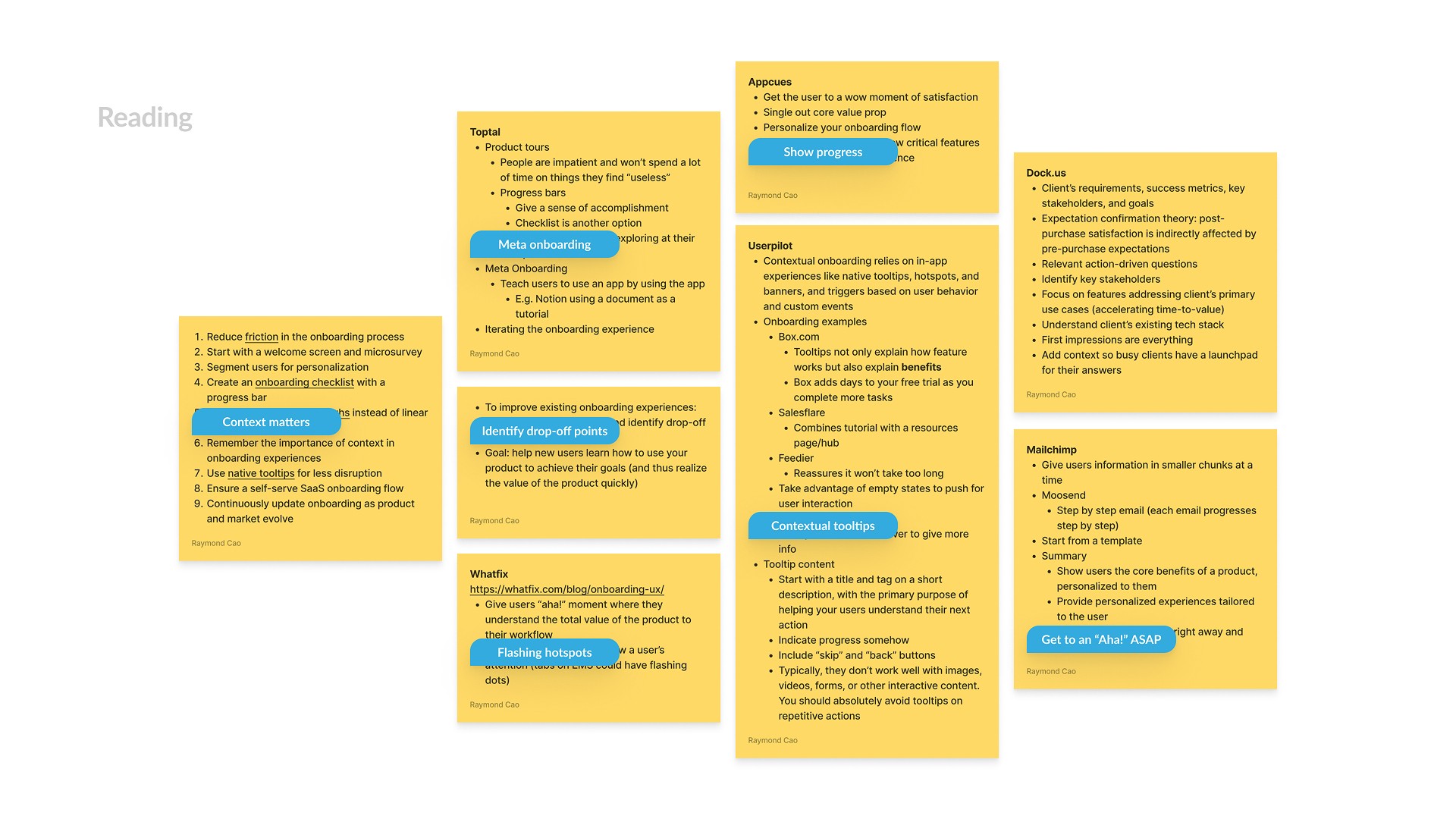
Reading up on best practices, SaaS onboarding examples
Keep instructions and explanations short and simple. Do not over-explain.
Explain "why"
Show progress
Solution 1.1 | Pain point
Personalized survey
A short and sweet survey to capture the customer’s requirements.
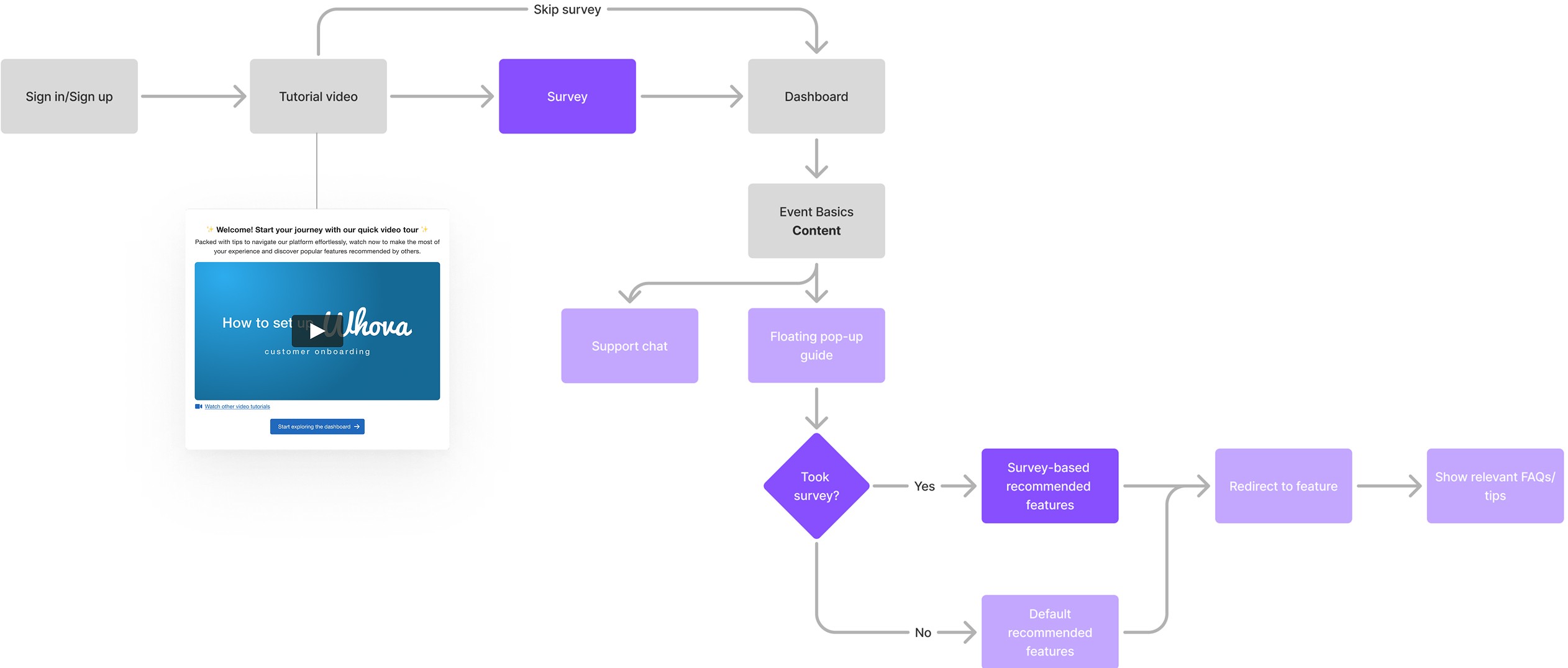
Initial user flow
Iterations
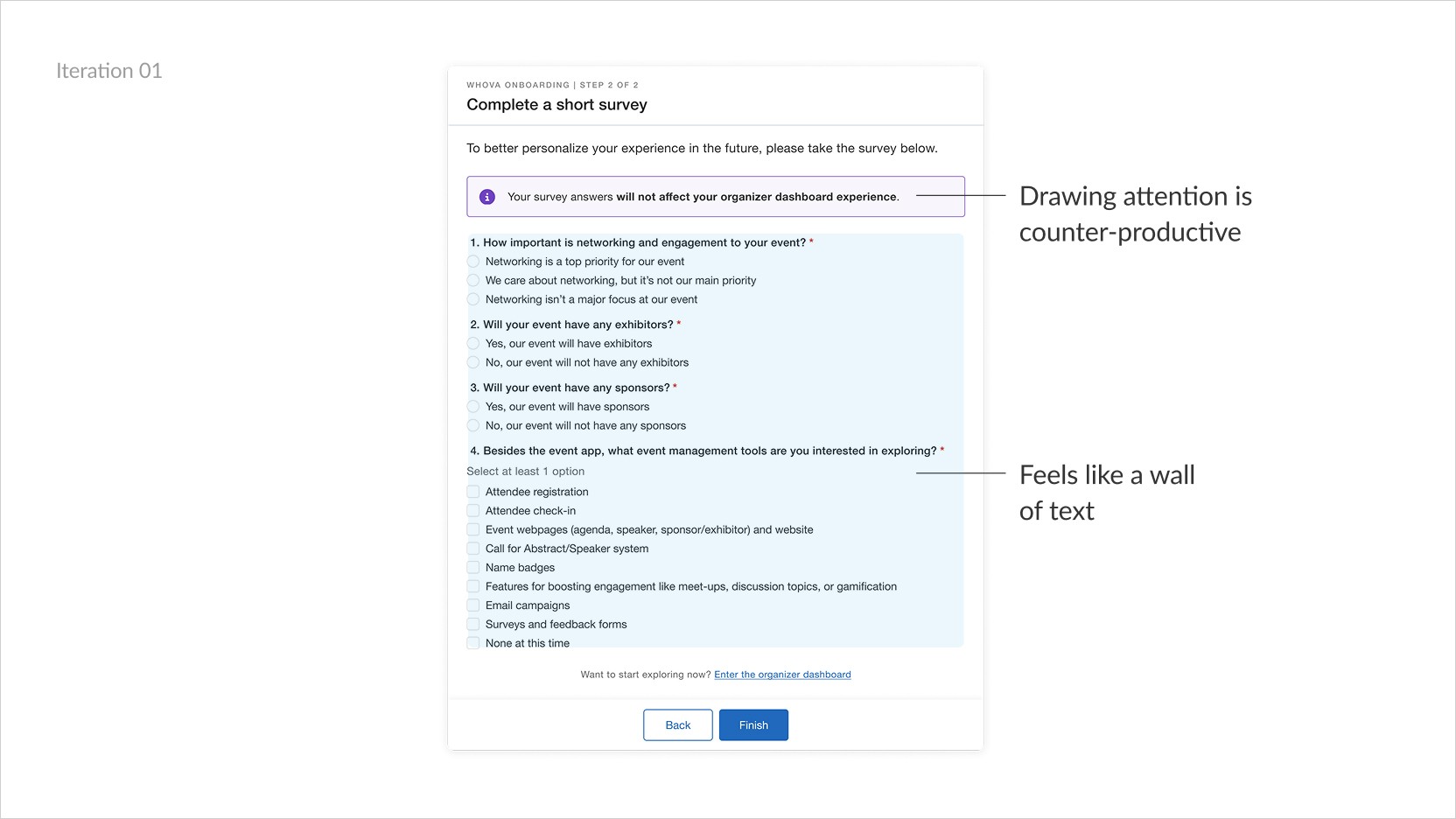
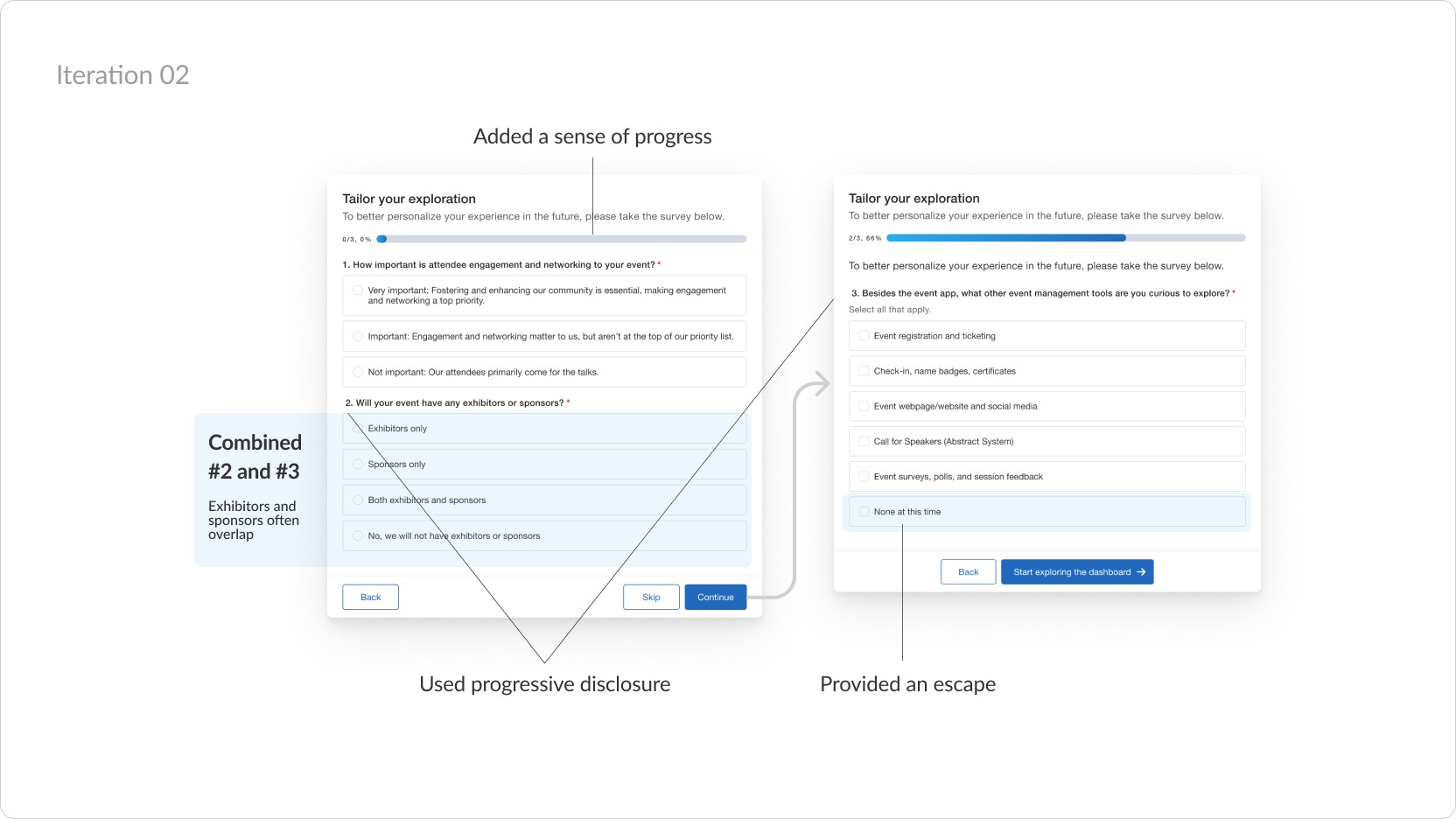
To help users finish, I tried breaking the survey into bite-sized pieces
Internal testing with stakeholders revealed how presenting a lot of info at once could be overwhelming, especially during onboarding.
Spread questions across multiple pages
Combine/group questions into related blocks
Changing direction
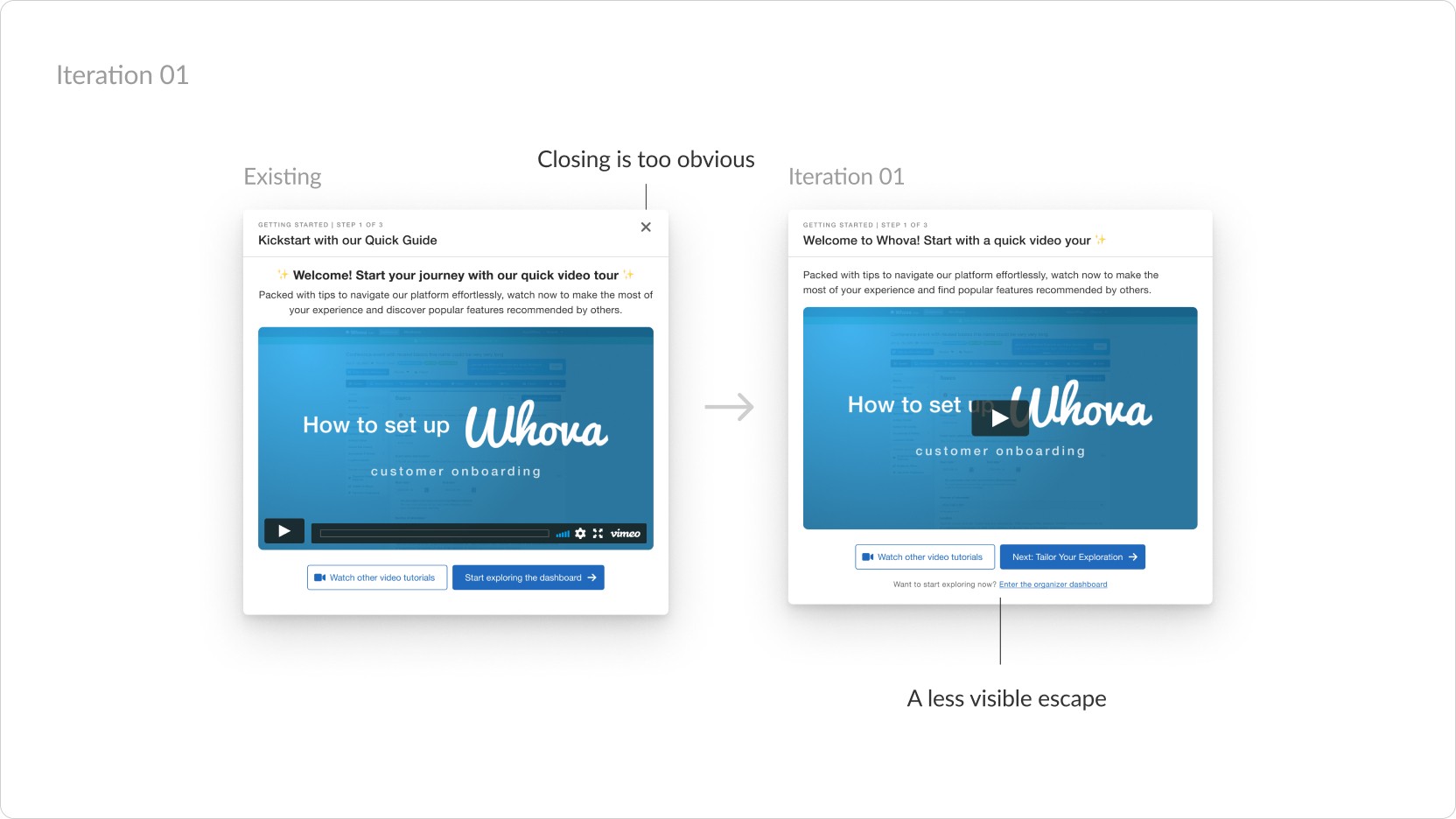
After initial release however, only 1 in 4 users were completing the survey
77% of users were skipping through the entire survey. I needed to nudge users more to answer and make it a bit more difficult not to. After 2 iterations, I landed on adding a "fake" skip button that actually behaved the same as the "Next" button.
Usability testing
Insight: Trying to trick users backfired
In testing, users were super frustrated—they kept trying to close the popup, and the fake "skip" really threw them off.
Mental modal mismatch
Popups feel like ads—users expect to click outside to dismiss.
Redundant controls
“Skip” just confuses users who want to close the popup entirely.

Final iteration
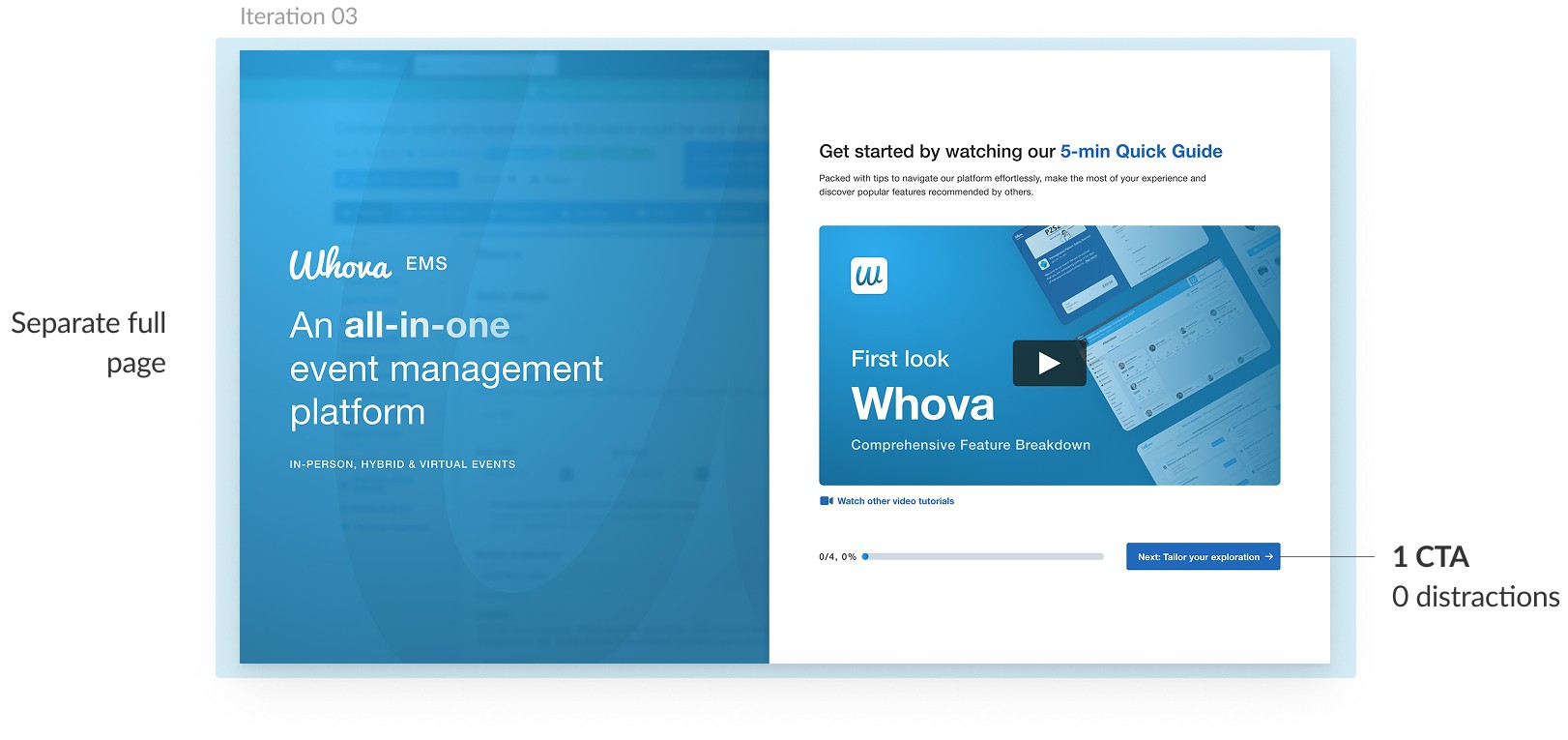
I realized we needed to frame things differently
Less than 23% of users were getting through the entire survey. I needed to get users to stop and take a few seconds to tell us more about their needs without making it feel like a waste of time.
Drive user activation and upsell potential by streamlining trial onboarding journeys to fit event-specific needs
Subgoal 2
Guide users through a complex and feature-rich interface
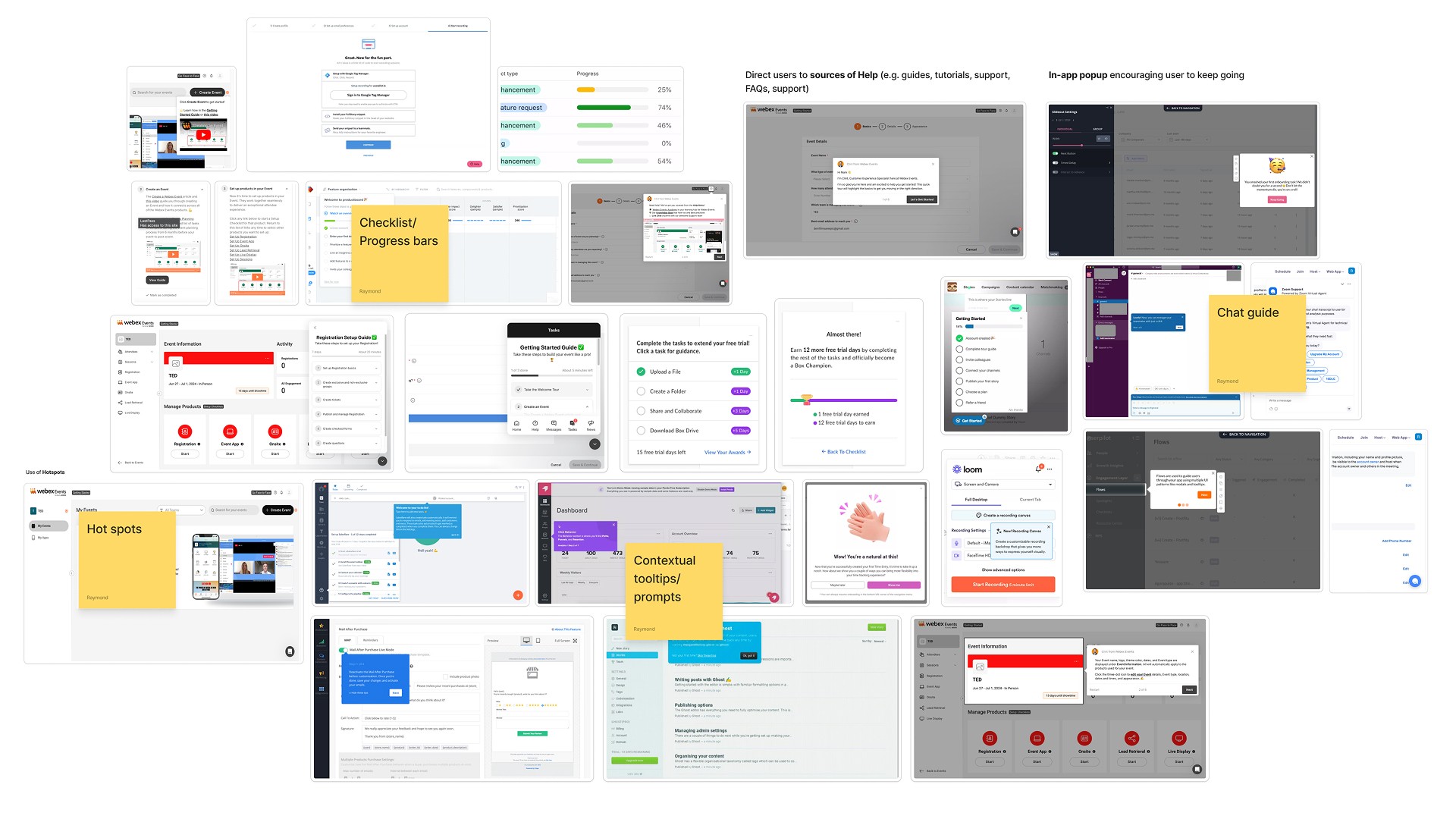
Research
Helping users find their Aha! moment
Context is everything
Tooltips and hotspots
Show progress
Solution 2.2 | Pain point
A simple, integrated, and clear feature guide
Feature name
Business concerns
More time in the dashboard means...
Finding value that may have been missed in sales demos.
Learning more about relevant add-ons (opportunity for cross-selling), Whova Academy, etc.
UX Concerns
Be mindful of conflicts
“Support chat” floating button, Step-by-step guide
Don’t block the main content
Keep lists short and engaging
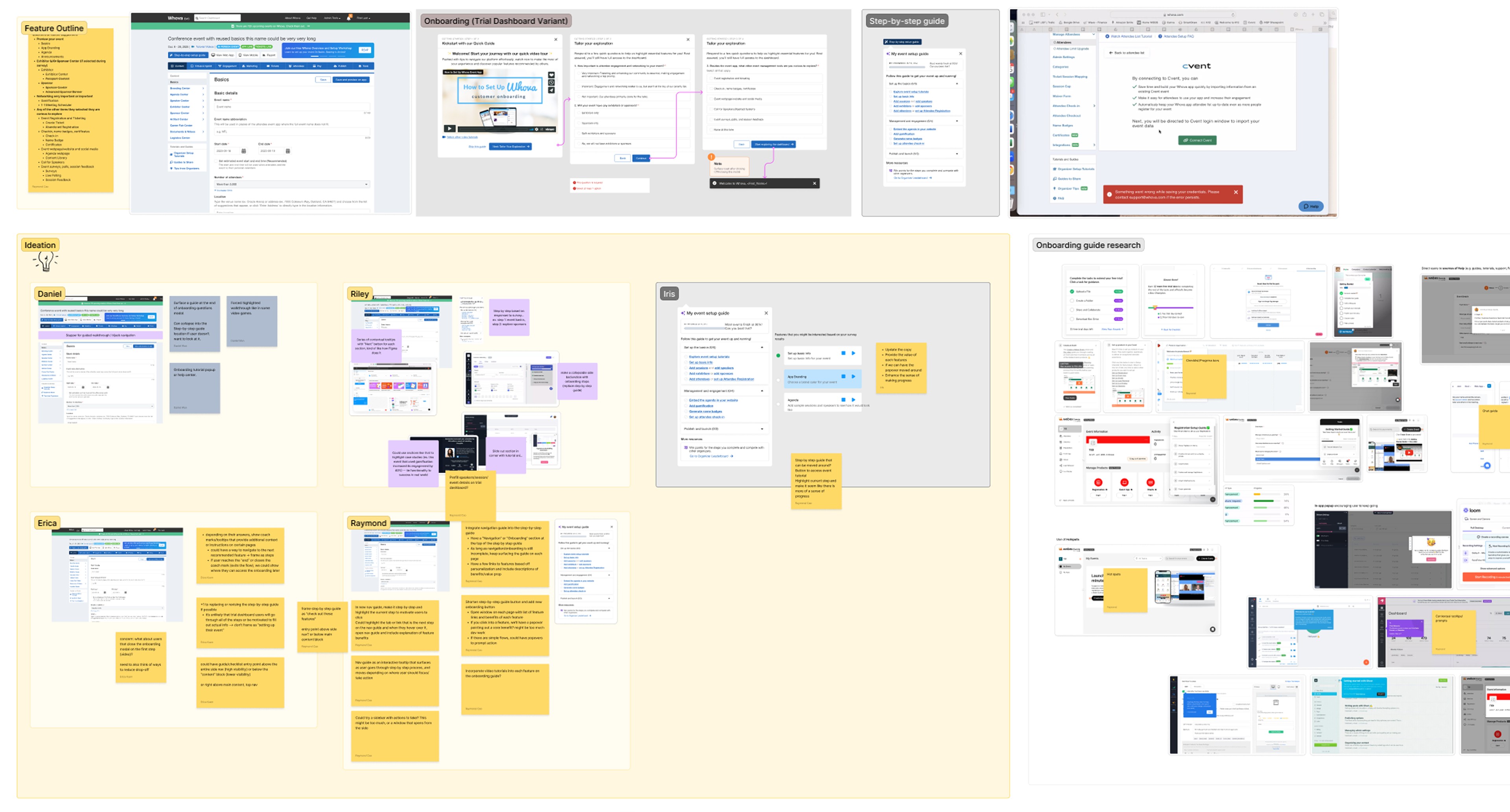
Given the many considerations, I hosted a brainstorming workshop with the team
Goals
Ideate on where in the user journey to engage users.
Encourage deeper feature discovery within the EMS.
Initial user flow (snapshot)
Iterations
It was a struggle trying to fit everything in
The challenge was finding space in an already cluttered interface to prio visibility while minimizing disruption to UX.
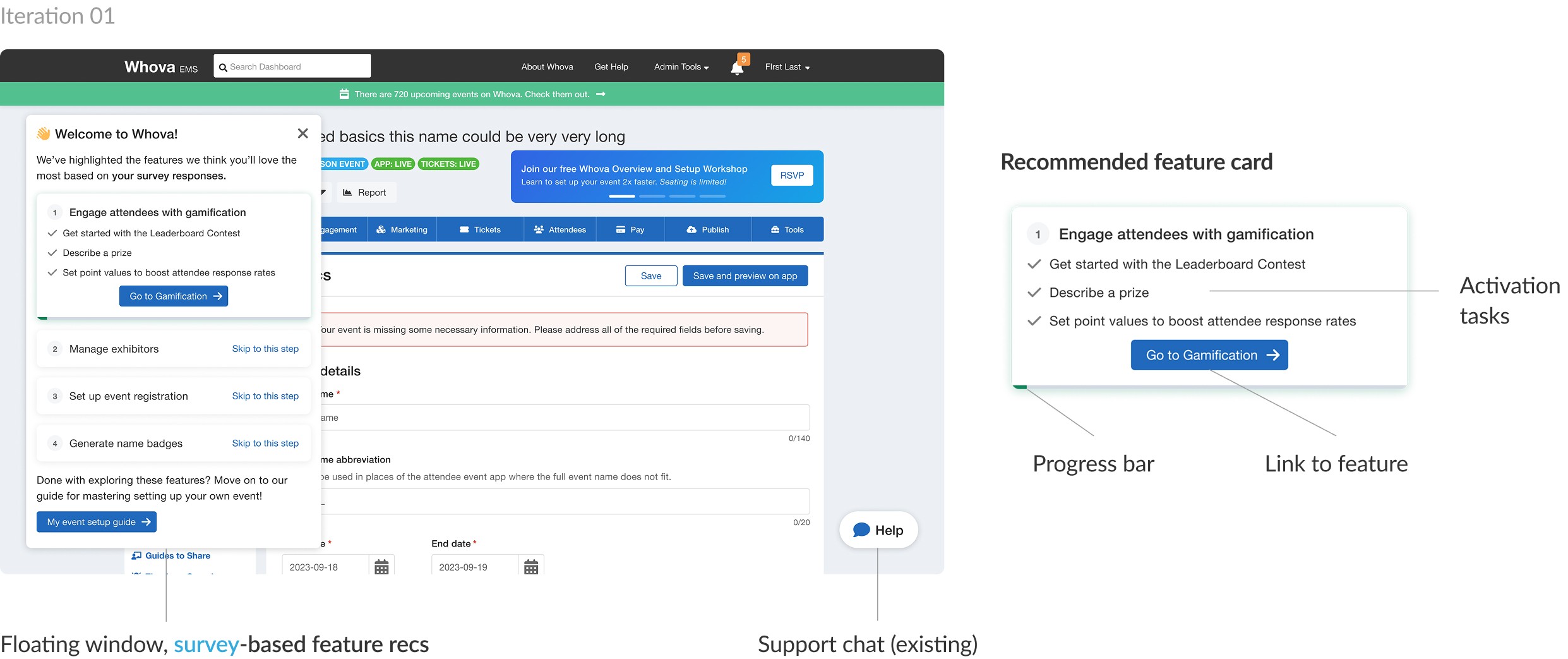
But eventually, I found a way to keep it all in one place
After an internal demo that raised some issues + back and forth with the devs, I arrived at a final solution.
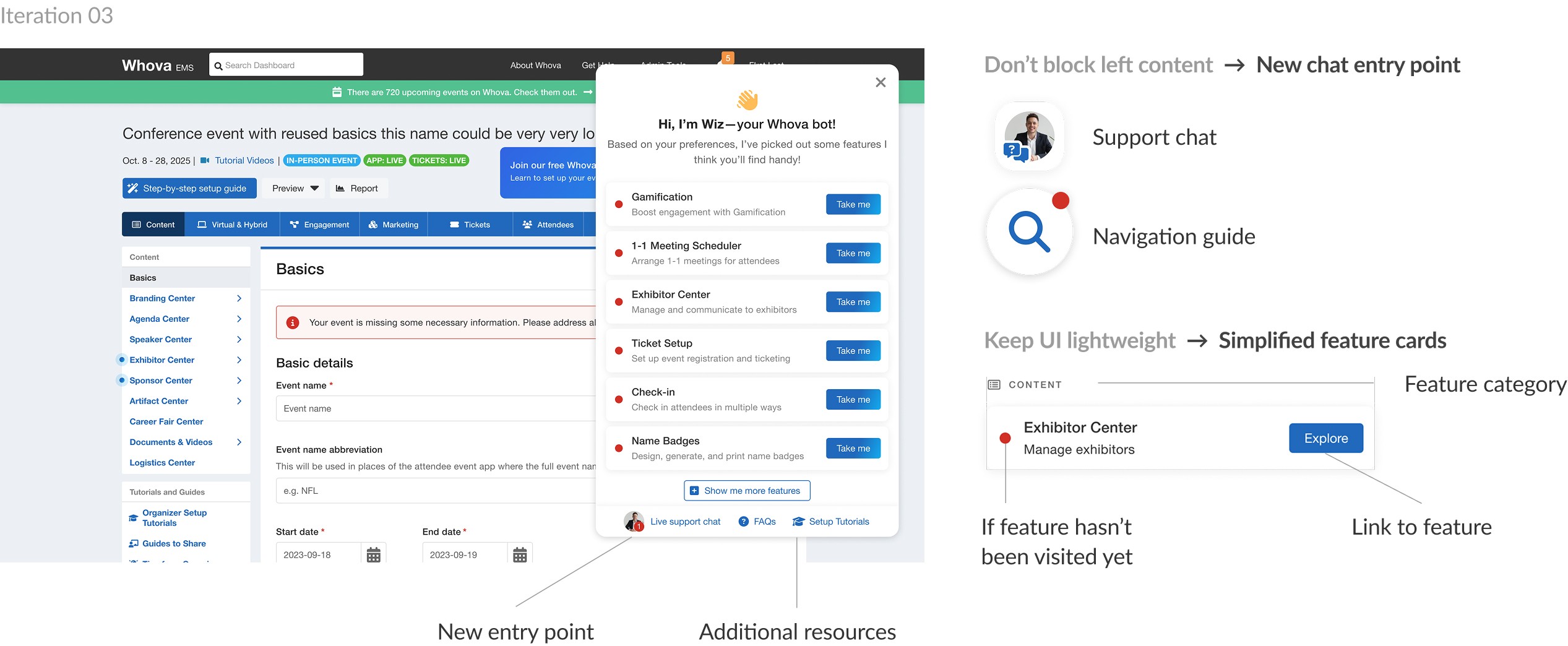
Solution 2.2 | Limited time before dropoff
Keeping users engaged until they find value
Feature name
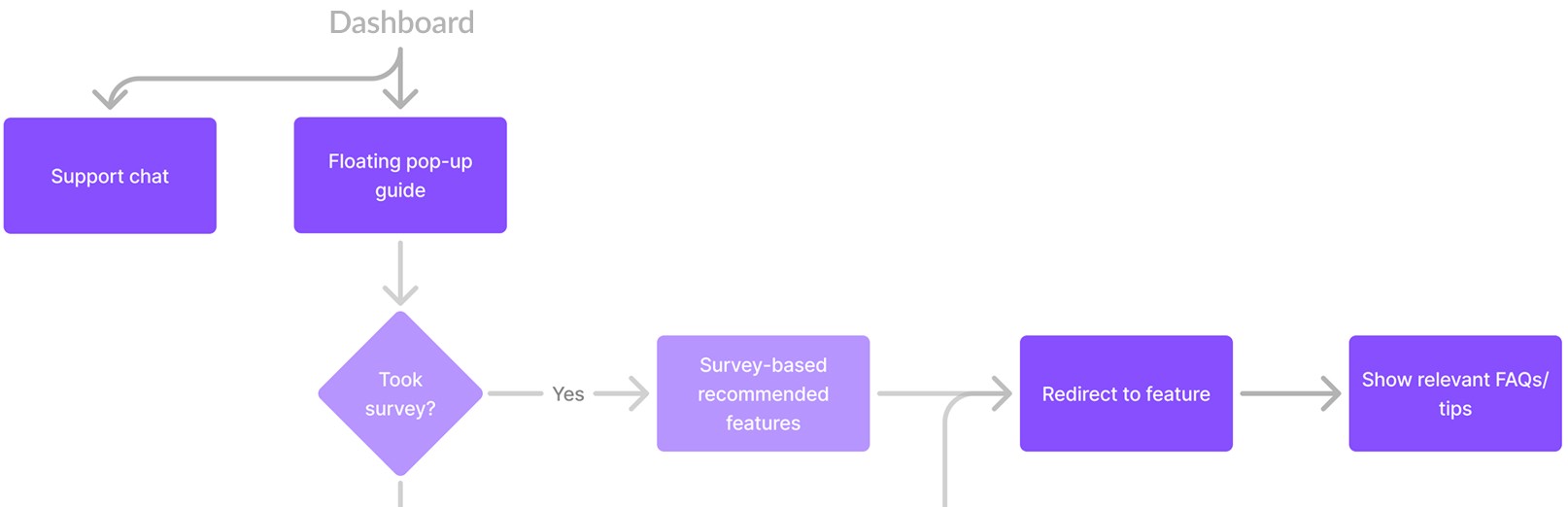
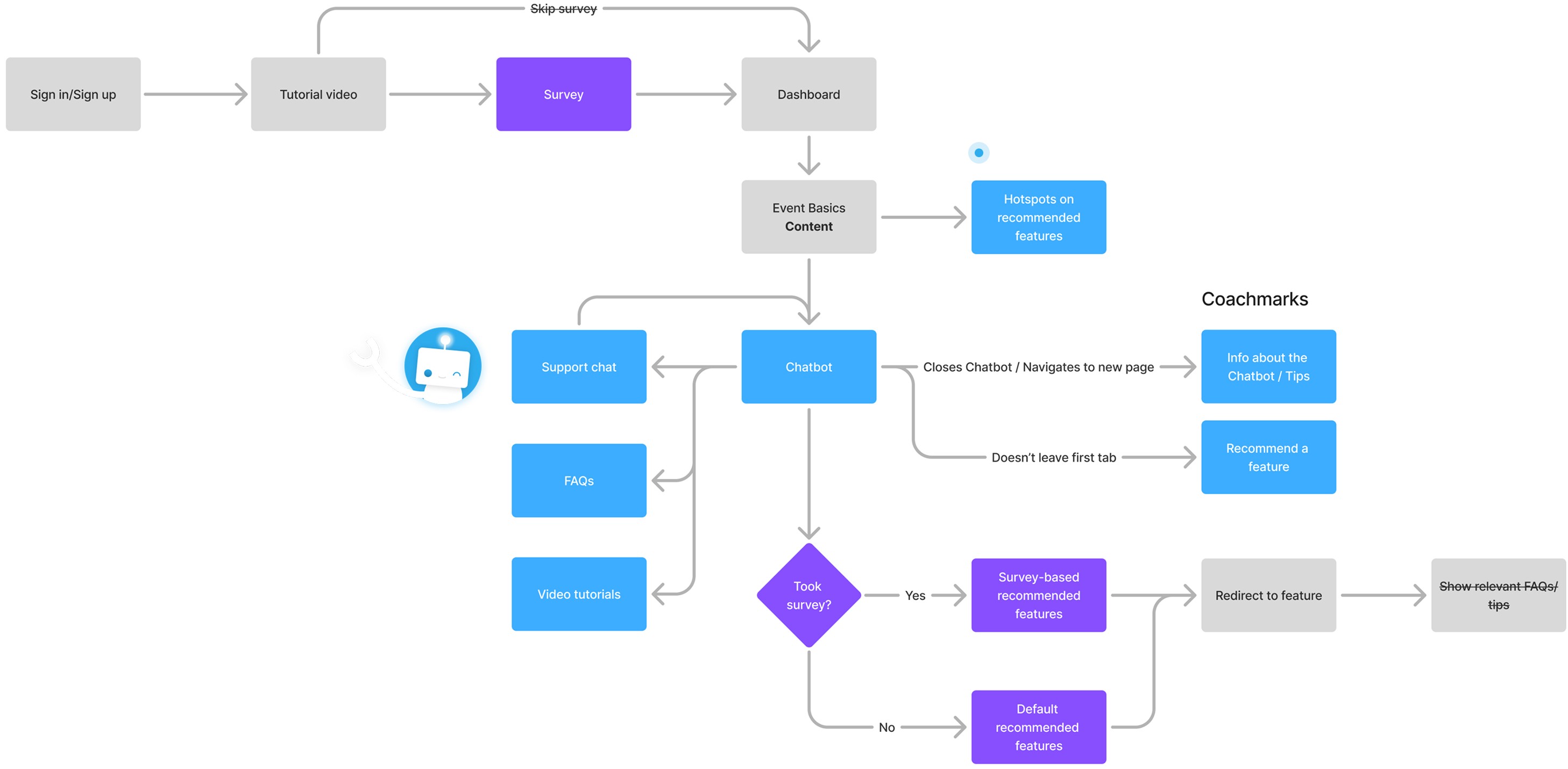
Final user flow
I started by revisiting the user flow to identify engagement points
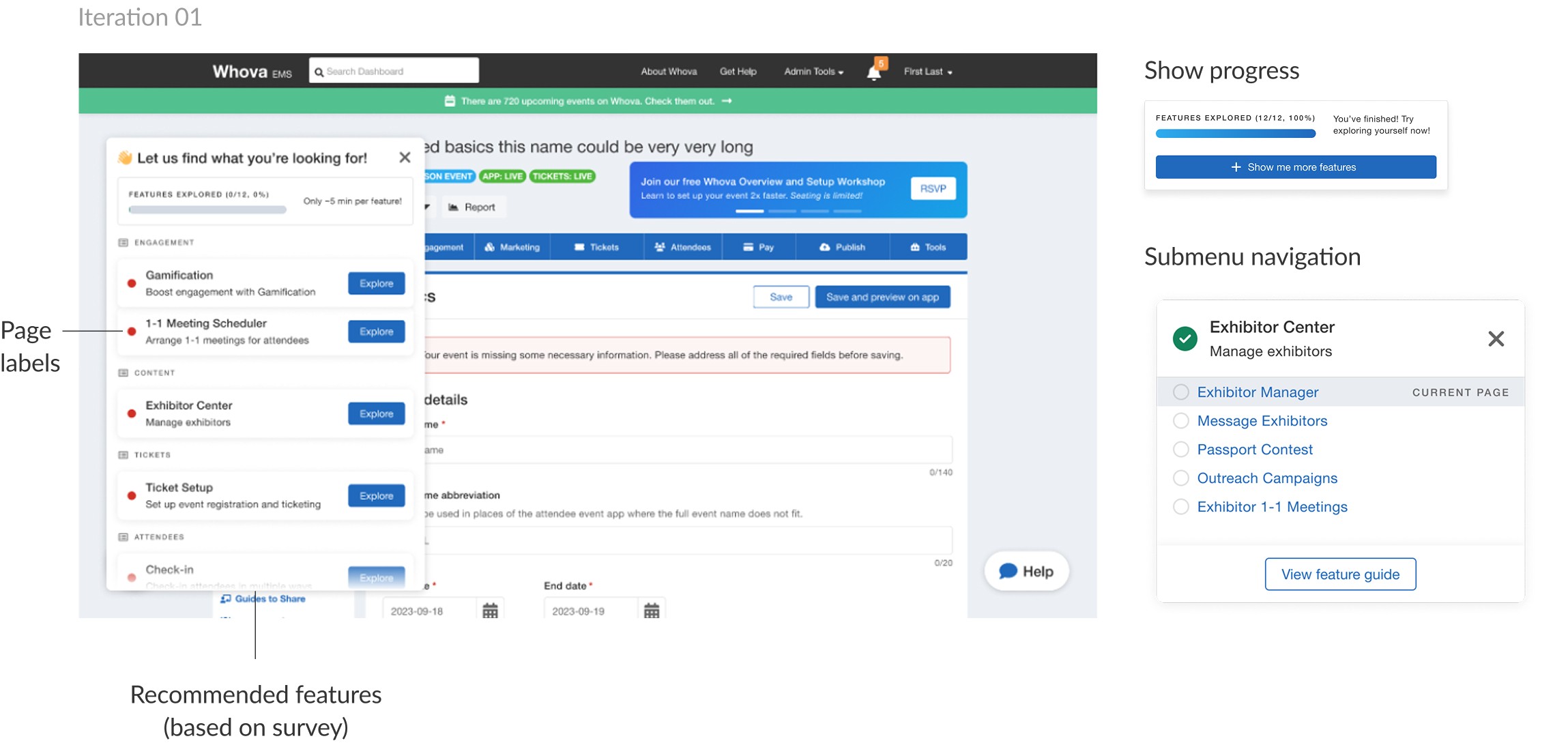
We needed to break down Whova's complex interface
Using the customer’s preferences to tailor their journey for them and make navigation less intimidating.
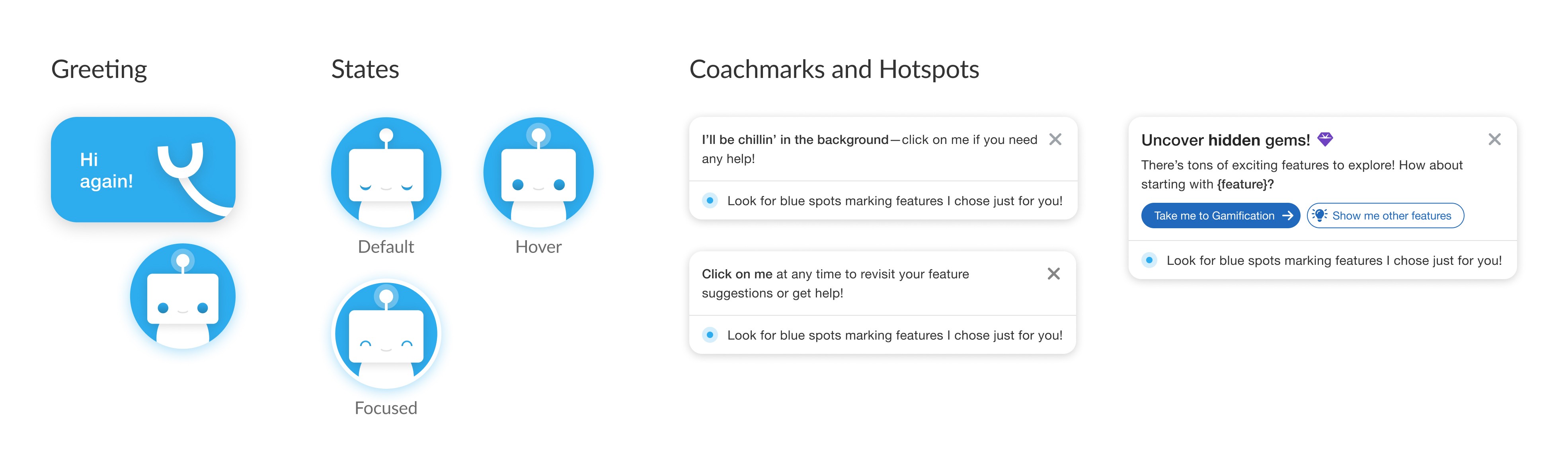
Meet “Wiz”
Making onboarding engaging while reducing the pressure of a complicated technical dashboard.
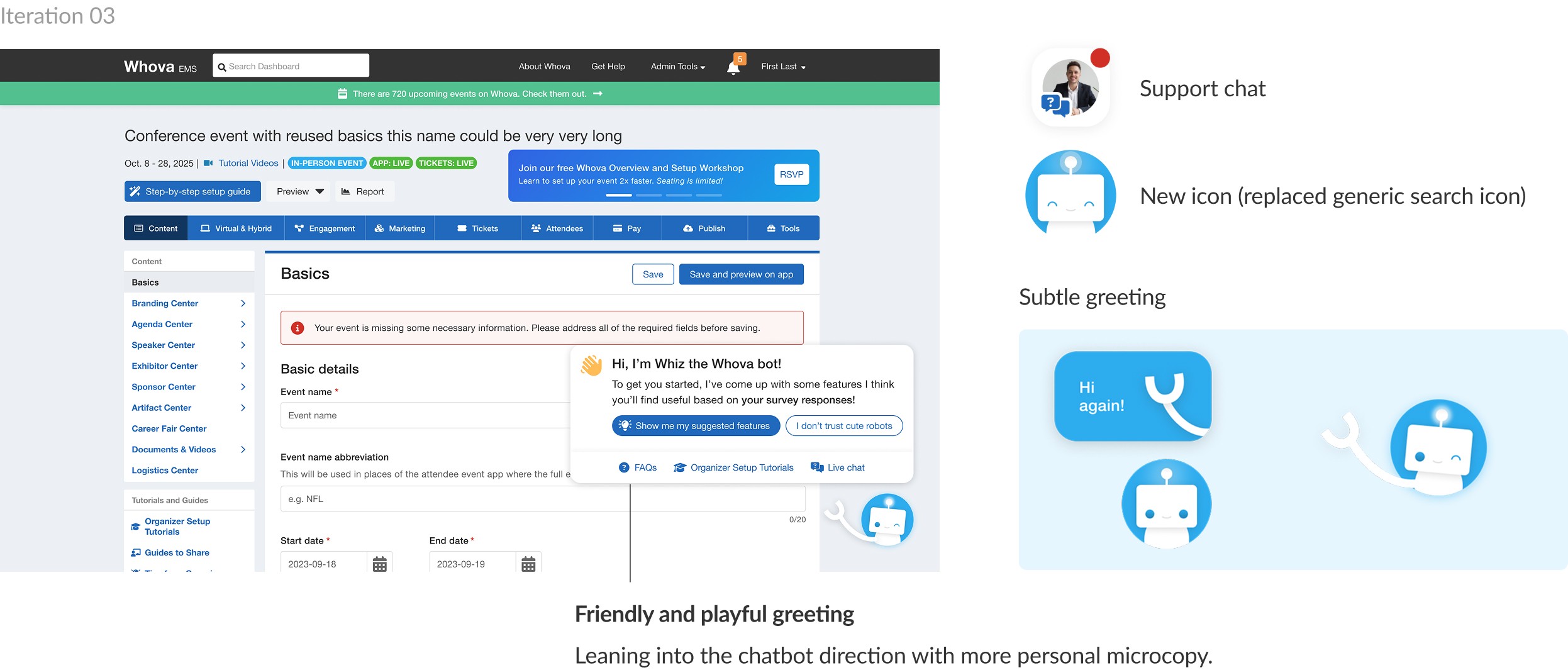
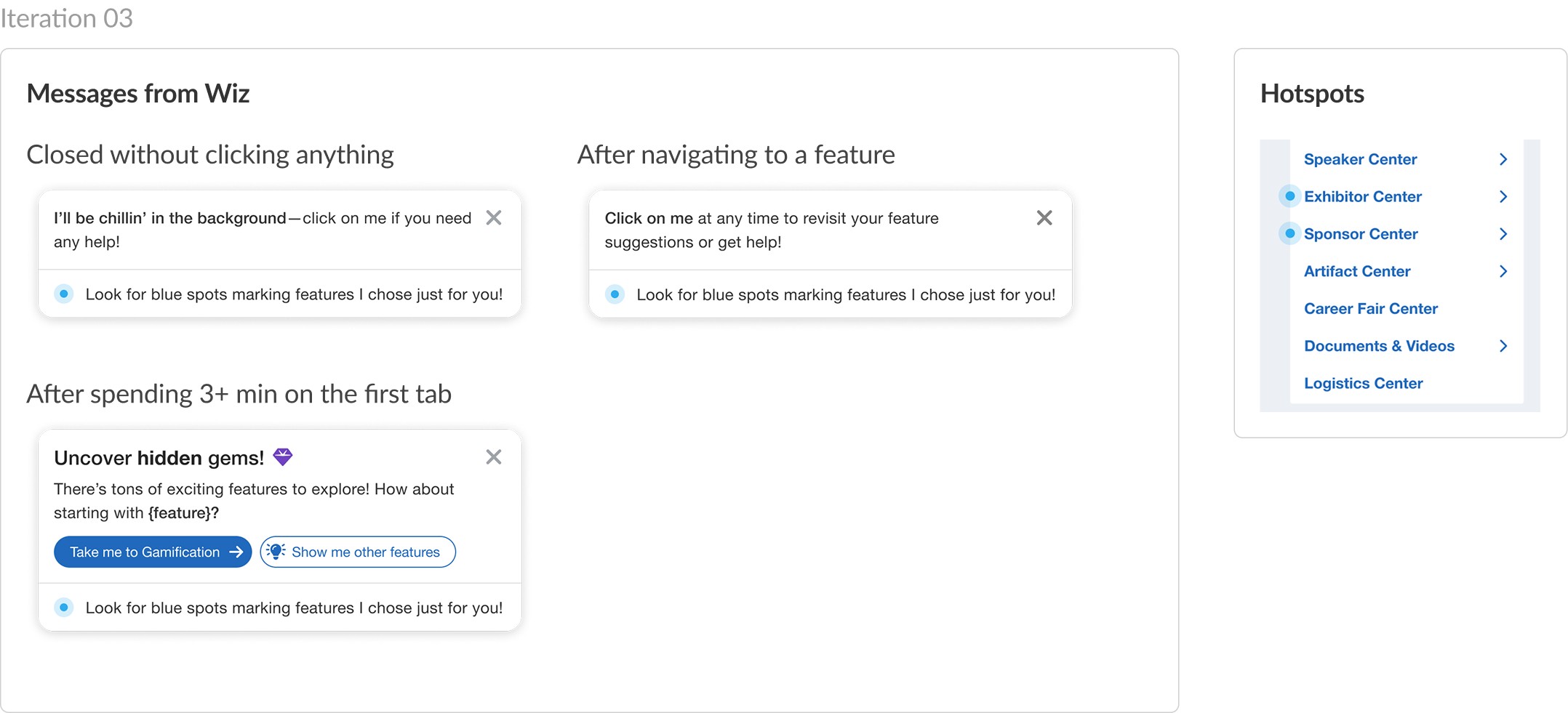
Integrating Wiz into the user's journey
Re-capturing the attention of organizers using pop-up coachmarks with messages from Wiz.
The final metrics
3 months after release…
84%
(up from 16%)
Of users completed the onboarding survey.
*drop-off actually increased after release as a result of the survey being mandatory, but it’s a trade-off to focus on improving overall TTV for committed users.
70%
(up from 51%)
Of events visited more than 1 tab.
*going by event is more representative than by user, as multiple people are often involved in planning, and people aside from the primary admin are much more likely to drop off quickly
23%
(up from 0)
Of users used Wiz to navigate to a feature.
Takeaways
Tricking users comes at a cost
User testing the survey showed that tricks only led to frustration. Once users decided they didn’t want to engage, a design trick wouldn’t change that—and it risked drop off instead. It taught me to design for willingness, not coercion, to make it so that users wanted to engage.
Attention is scarce and fleeting
I did not have much appreciation for grabbing a user’s attention before this project, but experimenting and testing with users really taught me how hard it is to gain and how easy it is to lose.
Keep ideas in your back pocket
Wiz started as a fun experiment, but what I thought was a long shot actually resonated with stakeholders and ultimately became a core part of the final product.